Update time: May 26, 2026
If you’ve ever tried to publish a GTM container only to see a warning that it’s too large—or worse, couldn’t publish at all—you’ve probably wondered what counts toward the 200KB limit.
If you’re facing the same issue—or want to avoid it altogether—this guide will help.
Container Size Limit
Each GTM container has a maximum size of 200KB.
When your container hits roughly 140KB (70% of the limit), GTM starts showing a warning in the Versions page. It looks like this:
“Your container is approaching the maximum size. Consider optimizing it.”
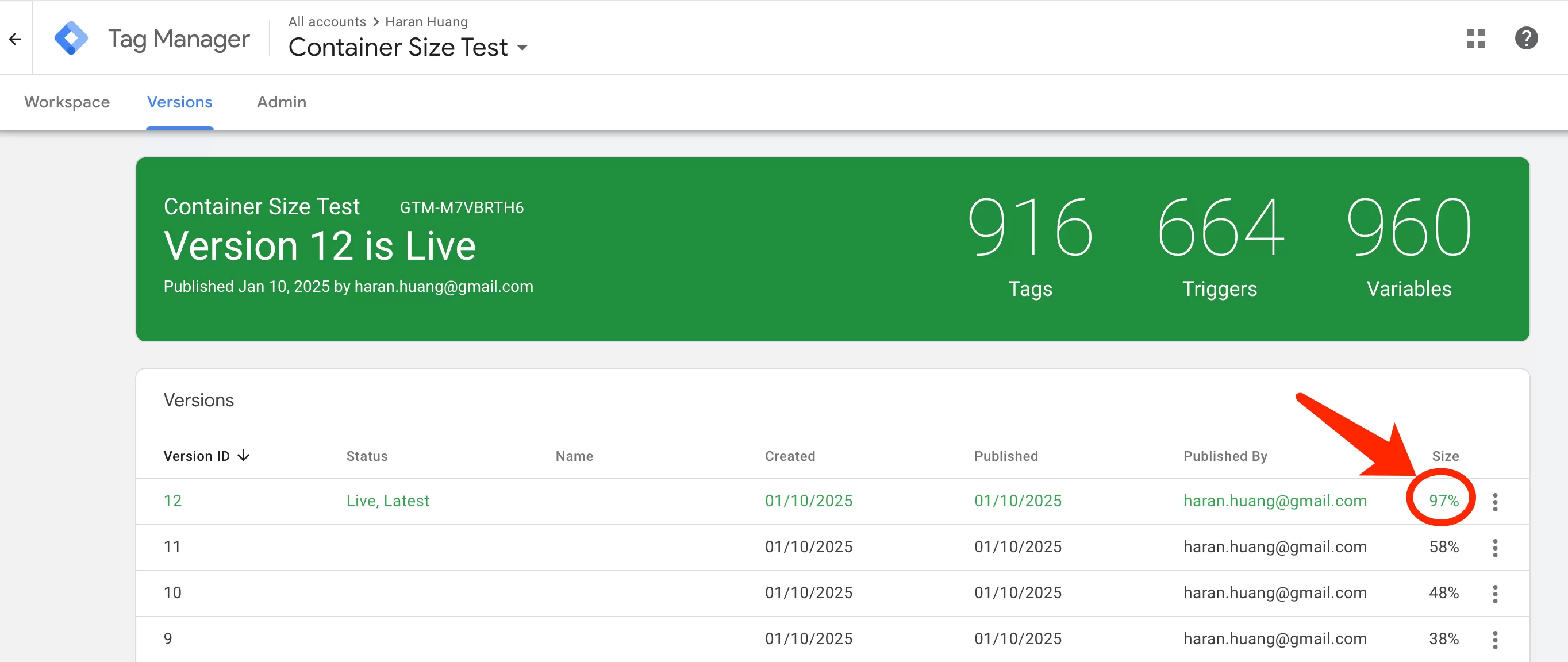
What happens when you exceed 200KB? GTM simply refuses to publish. You can still edit tags, create new versions, and make changes — but you cannot publish any new version until the container size is reduced below the limit.
Account and Container Count Limits
This one is less likely to cause immediate problems, but good to know for planning.
| Limit | Value |
|---|---|
| GTM accounts per Google account | 400 |
| Containers per GTM account | 500 |
| Total containers per Google account | 200,000 |
200,000 containers sounds absurdly high, and for most people it is.
Workspace Limits
Workspaces are GTM’s way of letting multiple people work on the same container without stepping on each other’s toes.
| Version | Workspace Limit |
|---|---|
| Free GTM | Up to 3 workspaces (including the default “Default Workspace”) |
| GTM 360 | Unlimited workspaces |
Custom HTML Tag Limits
Custom HTML tags are where most people run into trouble, and not just because of size.
| Version | Character Limit |
|---|---|
| Free GTM | 102,400 characters per Custom HTML tag |
| GTM 360 | No character limit |
Other Limits You Should Know
- Constant Variable: Maximum length of 1,024 characters.
- Import File Size: When importing a container template or recipe (the
.jsonfile), the maximum file size is 10MB.
Optimization Tips
If you’re approaching any of these limits — especially the 200KB container size — here’s what I’d do:
- Reuse tags with variables instead of creating separate tags for similar events.
- Remove unused tags, triggers, and variables regularly to keep your container lean.
- Use lookup tables to simplify complex trigger logic, but avoid overly large tables.
- Use GTM 360 Zones to split large enterprise containers into smaller, independently managed modules.
- Move large JavaScript from Custom HTML tags to external files to reduce container size and improve maintainability.
GTM Limits: Final Words
A few final thoughts to leave you with:
- GTM limits can change. Google updates these numbers occasionally. What’s true today might be different a year from now. Always check Google’s official documentation for the current limits.
- Don’t wait for the warning. By the time GTM shows you the 70% container size warning, you already have a problem. Start optimizing early.
- The container size limit is the one that matters most. All other limits (accounts, containers, workspaces) are generous enough that you’d need to be operating at an unusual scale to hit them. But the 200KB container ceiling? I’ve seen teams of 3 people hit it.