Update time: March 12, 2026
As browser privacy protections continue to evolve—such as Safari ITP, third-party cookie restrictions, and ad blockers—traditional browser-based tracking is becoming increasingly unreliable.
To address these limitations, many advertising platforms now recommend Server-Side Tracking.
Within the Meta advertising ecosystem, the recommended solution is the Meta Conversions API (CAPI).
If your website already uses the Adobe Experience Platform Web SDK, you can implement server-side tracking using Adobe Launch Event Forwarding to send events directly to Meta.
In this guide, we will walk through how to deploy the Meta Conversions API using Adobe Launch Event Forwarding, including architecture, configuration steps, testing, and troubleshooting.
AEP Data Flow Architecture
For websites that have implemented Adobe Experience Platform (AEP), event data typically flows through the following architecture:
When Event Forwarding is added, the architecture becomes:
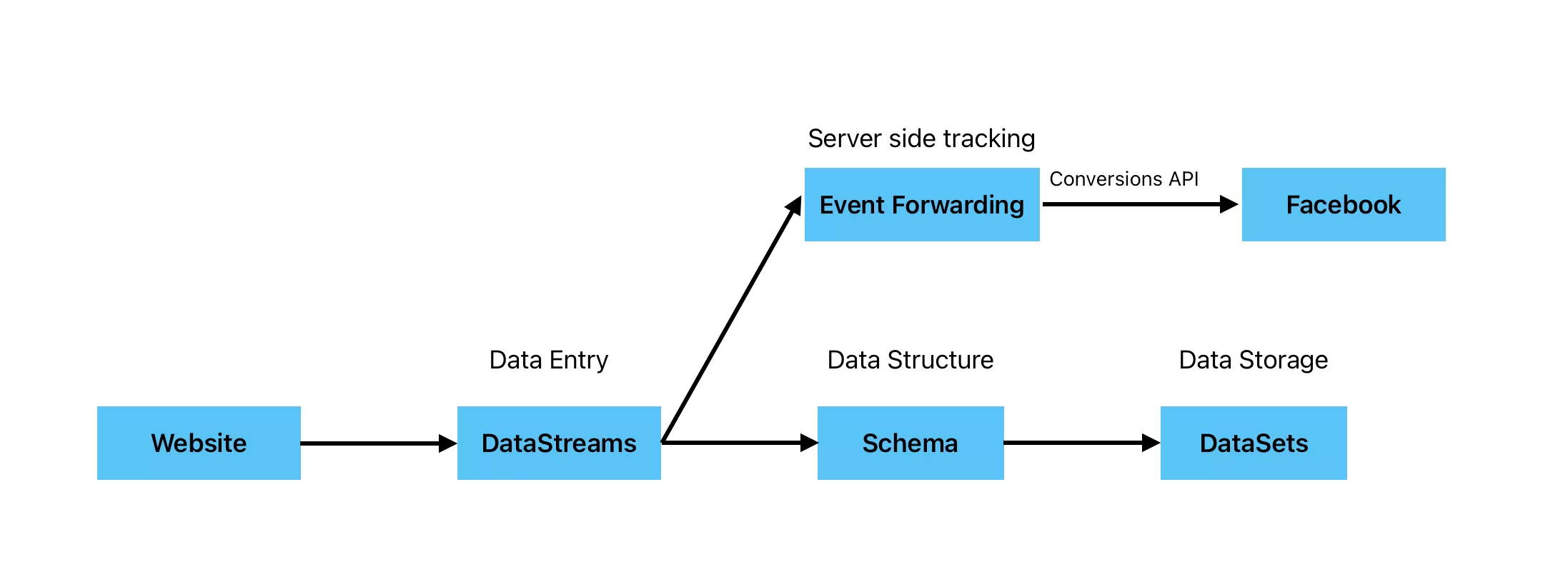
What Is Adobe Event Forwarding?
Event Forwarding is the server-side tagging solution provided by Adobe Experience Platform Data Collection.
It works similarly to Server-side Google Tag Manager (sGTM), allowing events collected via the Web SDK to be forwarded to third-party platforms from the server.
By processing events on the server, Event Forwarding improves reliability and provides better control over data governance.
Step-by-Step: Deploy Meta Conversions API with Event Forwarding
Step 1: Create an Event Forwarding Property
First, create a new Property in Adobe Launch Event Forwarding:
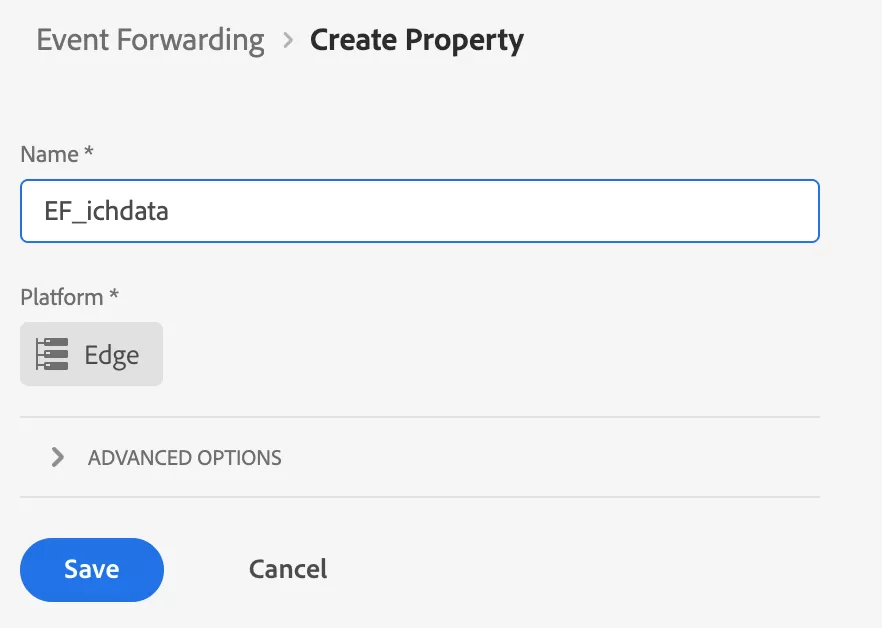
This property functions like a server-side tag container, where all server integrations are configured.
Step 2: Connect DataStreams to Event Forwarding
Navigate to DataStreams and click Add Service, Add the Event Forwarding service and configure the connection.
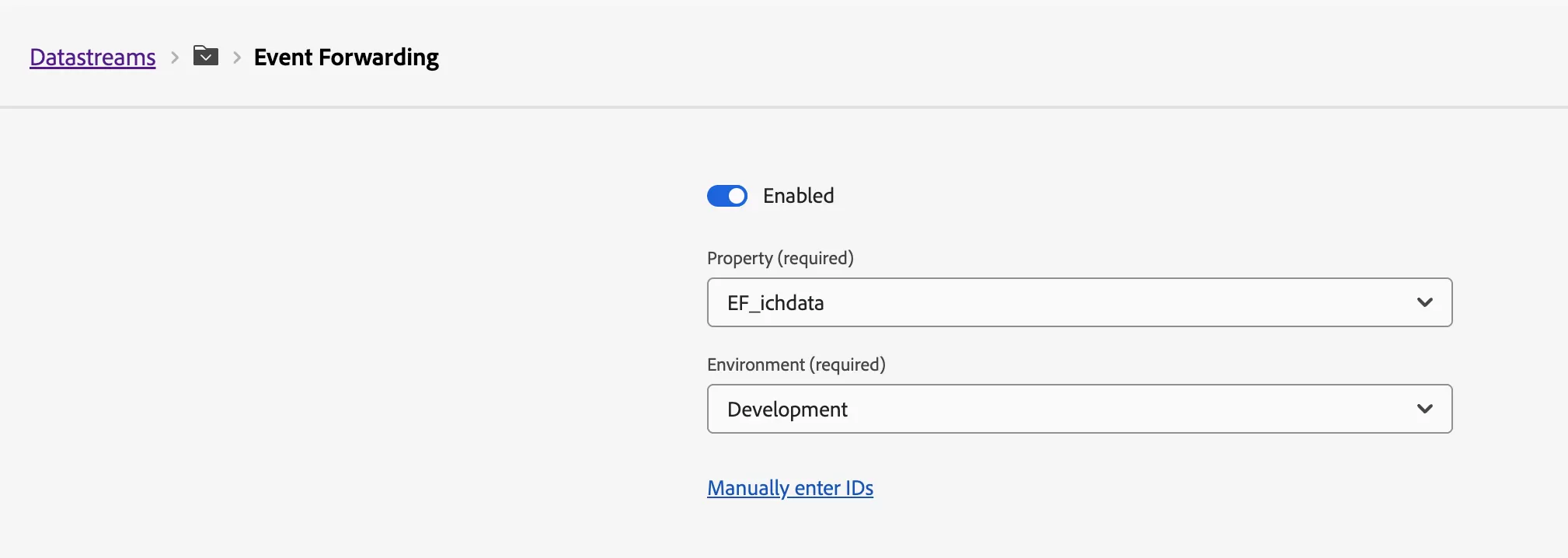
This step ensures that events collected by the Web SDK are forwarded to Event Forwarding for server-side processing.
Step 3: Obtain the Meta Pixel ID and Access Token
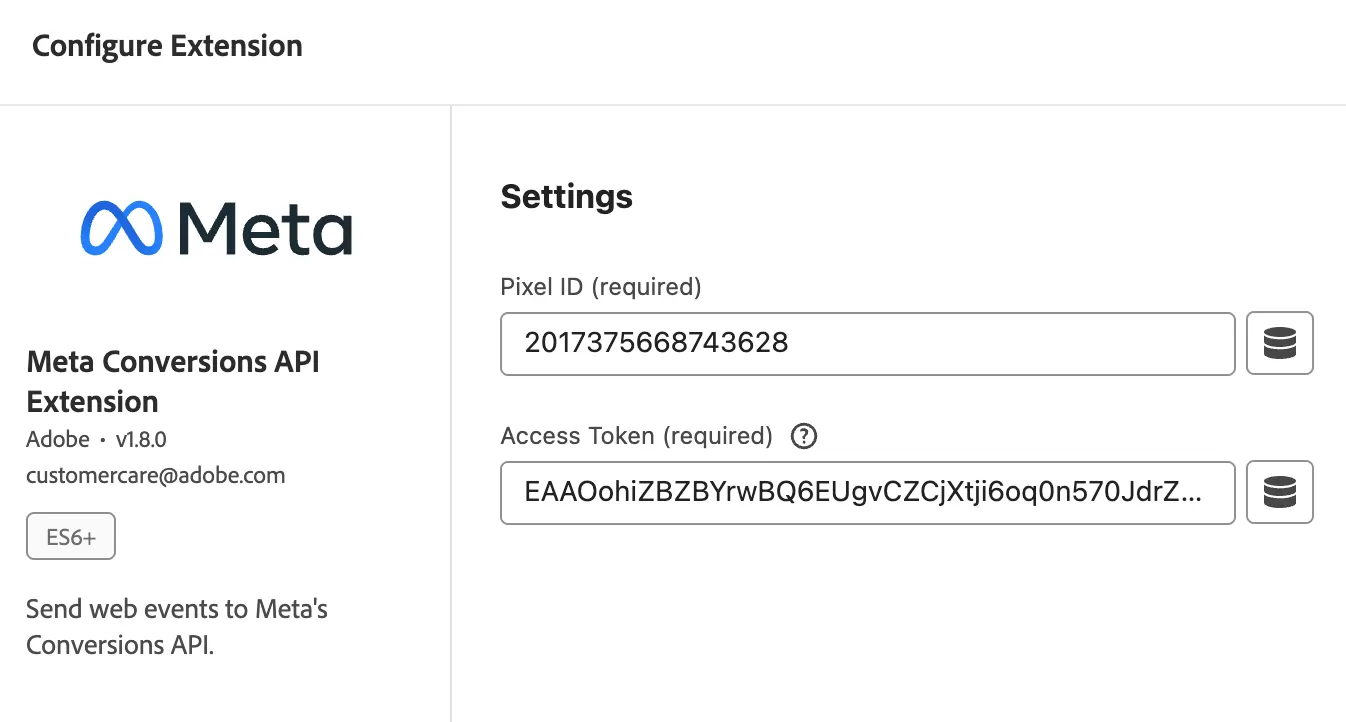
To send events to Meta using Conversions API, we need Pixel ID and Access Token, Both can be obtained in Meta Business Manager → Events Manager.
- Pixel ID:2017375668743628
- Access Token:EAAOohiZBZBYrwBQ4ZBgL0ix9qGBLeIczgey8twDAEzBBhwsKQIYMY4h2QKQ1HMLZAOlNUuZBveEtldXWywBRpmcWi7EKfmP8VX1e8kCZAuAvjsEBhwDMhzpZBRMHZAuBI43domAD5VIb8dSkchEpqHXIqZCKnxYScfgG9OOxS1lw6lbGDZCKXHWPtldStnINraVBgB8AZDZD
The Access Token must include ads_management permission,we can verify the token using the Access Token Debugger.
Step 4: Configure Meta Conversions API in Event Forwarding
Create a Secret
Create a new Secret to store the Access Token.
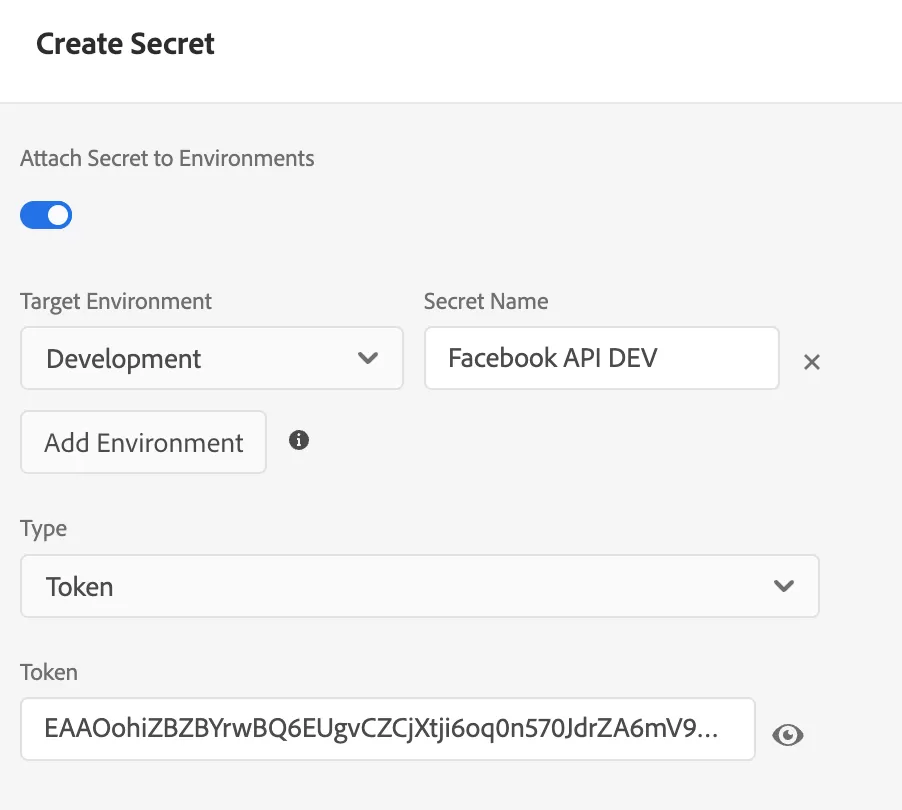
Secrets allow sensitive credentials to be securely stored and referenced in rules without exposing them directly in configuration.
Install the Meta Conversions API Extension
Go to Extensions and install the Meta Conversions API Extension
Configure Data Elements
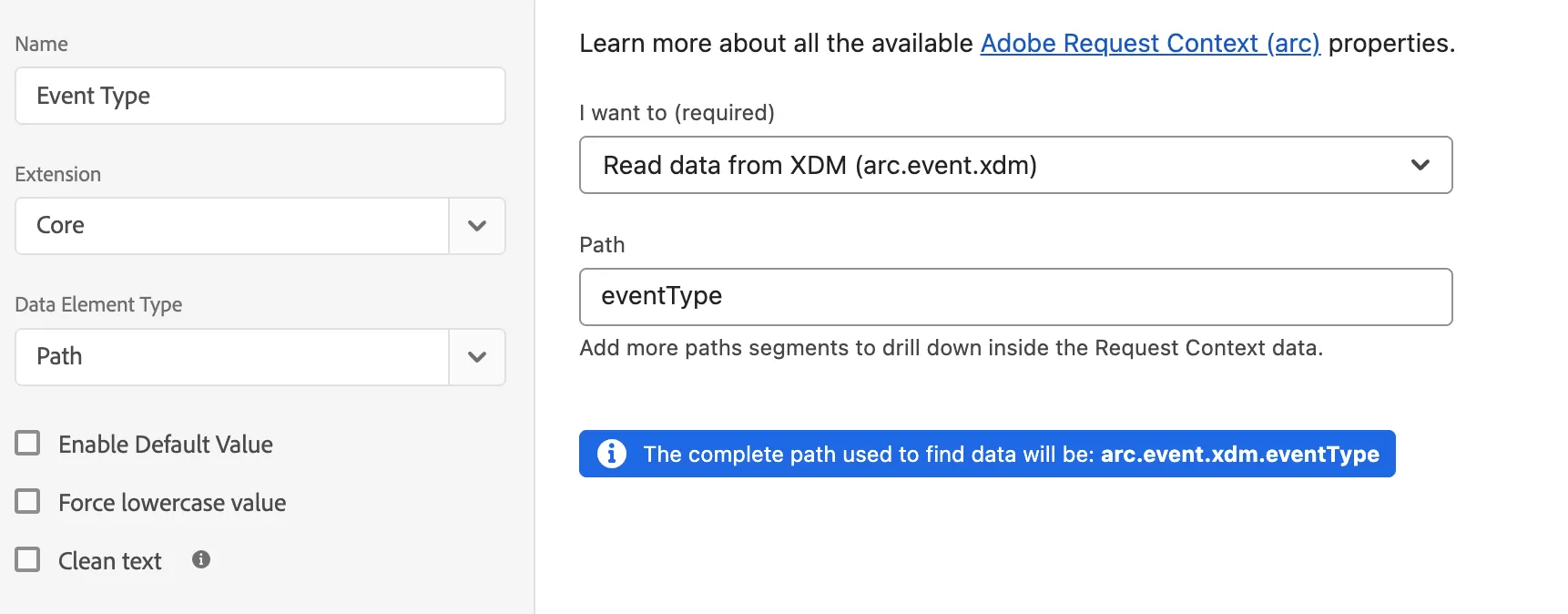
The payload received by Event Forwarding is not the original XDM schema.
To inspect the actual event payload, you can use https://webhook.site to capture and inspect the incoming request data.
From this payload, we can create Data Elements to obtain eventType:
Configure Rules
Step 5: Test Conversions API
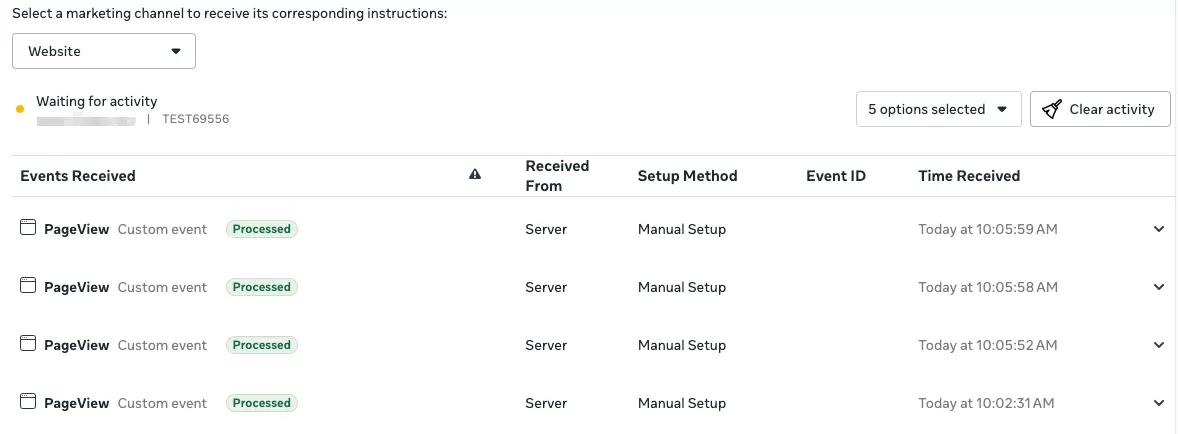
In Facebook Events Manager, obtain a Test Event Code. Add the Test Event Code to your Event Forwarding rule. Then visit your website.
If the configuration is correct, the event should appear in Test Events in Events Manager.
Step 6: Publish and Verify Data
Once testing is complete:
- Remove the Test Event Code
- Publish the Event Forwarding property
Events typically appear in Events Manager → Overview within 30–60 minutes.

Step 7: Monitor Event Forwarding
You can monitor server-side activity in Monitoring:
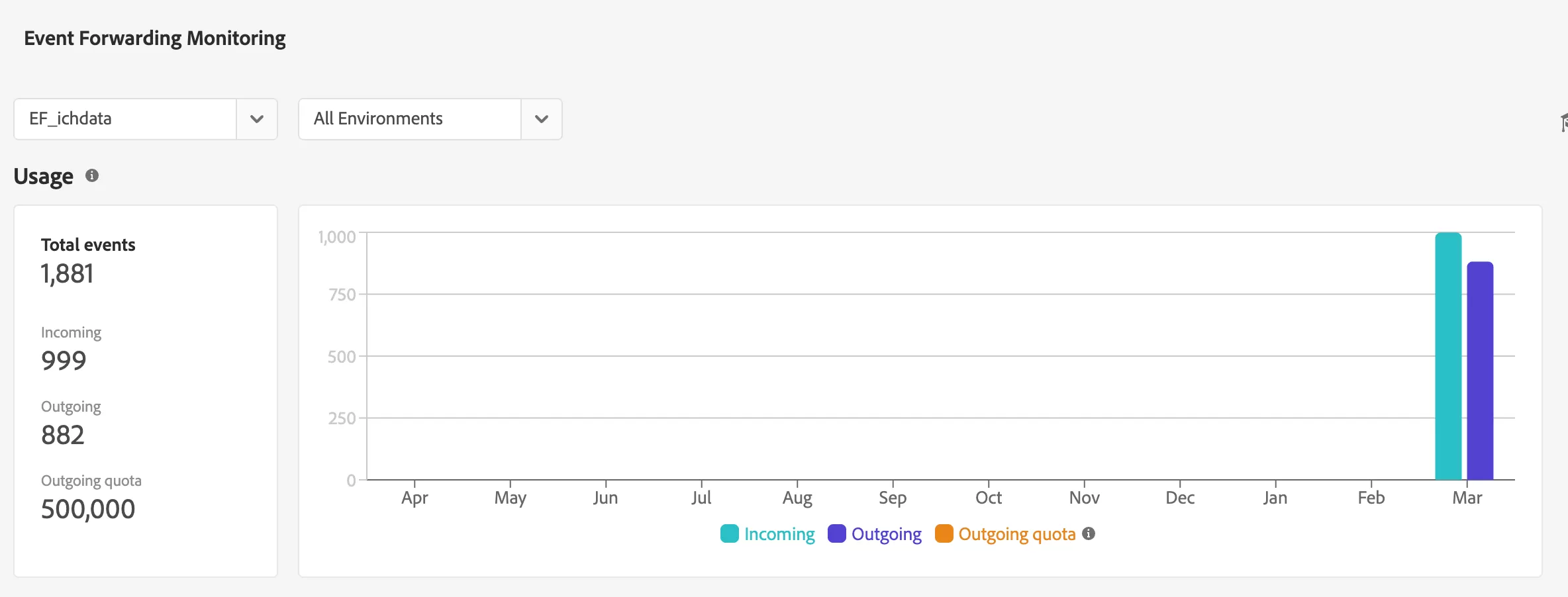
This section allows you to verify:Whether events were triggered、API request status、Error messages
FAQ
No Data Appearing in Facebook
There are two common scenarios.
Scenario 1: No events in Event Forwarding Monitoring,If no events appear in Monitoring, Event Forwarding is not receiving any data. Check whether the DataStream is properly connected to Event Forwarding.
Scenario 2: Events appear in Event Forwarding but not in Facebook,If events are visible in Monitoring but not in Meta Events Manager, the issue is usually related to Access Token permissions. Use the Access Token Debugger to confirm the token includes ads_management