Updated: January 3, 2026
If you’ve recently tried to send data from your website to GA4 but hit a wall because you couldn’t find that cryptic “G-XXXXXXXXXX” code — you’re not alone.
The Measurement ID in GA4 is one of those small but critical pieces of information that you need for almost every implementation task. Want to set up a new web data stream? You need it. Configuring Google Tag Manager? You need it. Troubleshooting your tracking? You’ll need it again.
And yet, finding it isn’t as straightforward as you might expect, especially if you’re migrating from Universal Analytics where the tracking ID was right there in plain sight.
In this article, I’ll show you exactly where to find the GA4 Measurement ID, explain what it actually does, and clear up the confusion between GA4 Measurement IDs and the old UA tracking IDs.
What Is a GA4 Measurement ID?
Think of a Measurement ID as the “address” GA4 uses to know where your data should go.
In more technical terms, it’s a unique identifier assigned to each web data stream within a GA4 property. When your website sends data to GA4, the Measurement ID tells Google which data stream should receive that data.
Here’s the format:G-XXXXXXXXXX
It always starts with “G-“, followed by a unique combination of letters and numbers. A real example would look like G-1A2B3C4D5E.
That’s it. Nothing more complicated than that.
Measurement ID vs Universal Analytics Tracking ID
If you’re coming from Universal Analytics, you might be tempted to think of the Measurement ID as the “new UA tracking ID.” I get it — both are used to connect your site to Google Analytics. But here’s the catch: they work differently in one important way.
| Feature | GA4 Measurement ID | UA Tracking ID |
|---|---|---|
| Format | G-XXXXXXXXXX | UA-XXXXXXX-X |
| Scope | Data Stream level | Property level |
| Data Model | Event-based | Session-based |
| Usage | Web + App streams | Web only |
| Flexibility | Multiple streams per property | Single tracking structure |
How to Find the Measurement ID in GA4 (Step by Step)
This is probably why you’re here. Let me walk you through it.
Step 1: Go to your GA4 property and click 「Admin」 (the gear icon in the bottom left corner).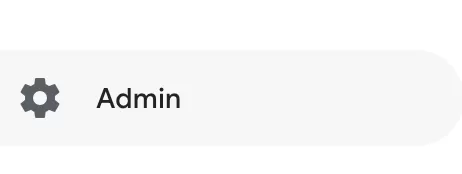
Step 2: Under Data collection and modification, click Data Streams.
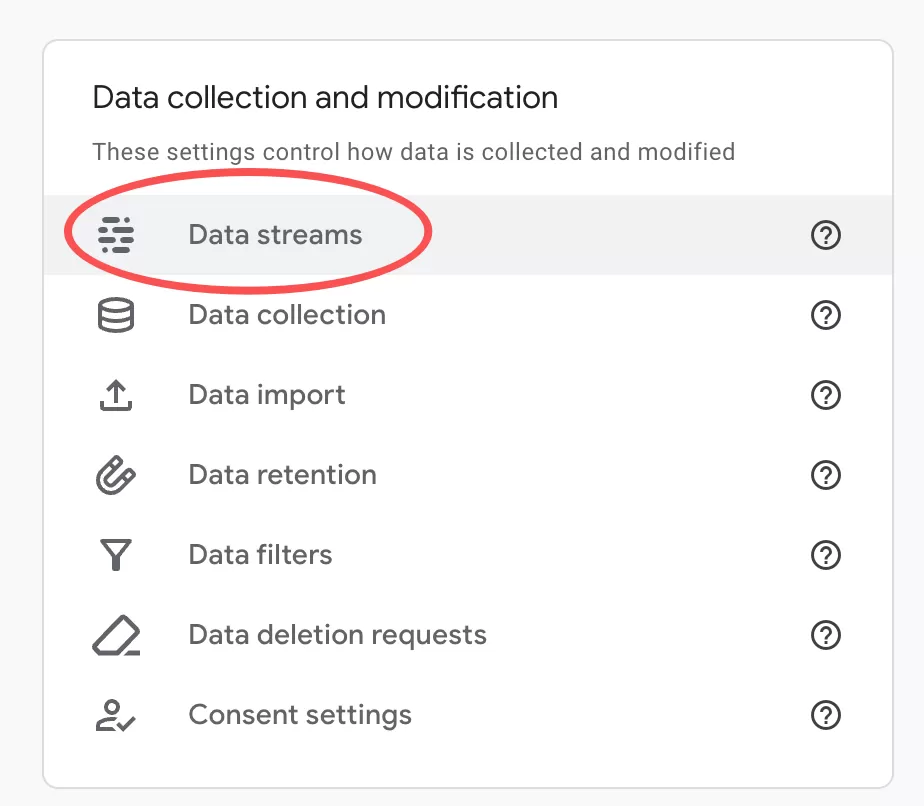
Step 3: You’ll see a list of your data streams. If you only have one web data stream, it will be listed there. If you have multiple (like a production stream and a staging stream), you’ll see all of them. Click on the web data stream you want the Measurement ID for.

Step 4: On the stream details page, look for Measurement ID at the top of the page, right under the data stream name.
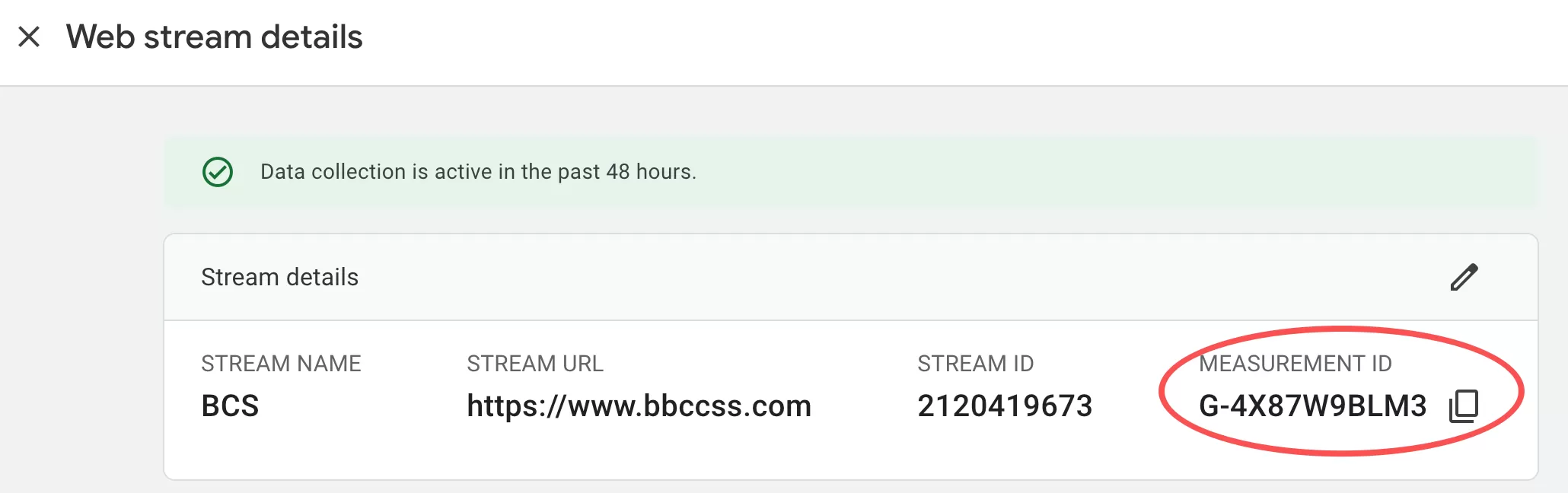
That’s your Measurement ID. Copy it and use it wherever you need it — in GTM when creating a GA4 Configuration tag, in the Google tag configuration, or in Measurement Protocol API calls.
How to Use the Measurement ID
Once you have your Measurement ID, here’s where you’ll need it:
- Google Tag Manager: When creating a GA4 Configuration Tag, the Measurement ID is the first field you fill in — right under the tag type selector.
- Google Tag (gtag.js): If you’re implementing the Google tag directly on your website, the Measurement ID goes in the
configcommand:gtag('config', 'G-1A2B3C4D5E'); - Measurement Protocol: When sending events directly to GA4 servers via the Measurement Protocol, the Measurement ID (along with an API Secret) authenticates your API calls.
- Google Ads linking: Some Google Ads integration steps require the Measurement ID to verify the link between your Analytics property and your Ads account.
Final Words
The GA4 Measurement ID is a small but essential piece of your GA4 setup. It’s the bridge between your data sources (website, app) and your GA4 property.
Finding it is simple once you know where to look — just follow the steps above and you’ll have it in seconds. The confusion usually comes from people expecting it to work like the old UA Tracking ID, but once you understand that the Measurement ID is stream-level (not property-level), everything falls into place.
If you found this article helpful, feel free to share it with your team. And if you have questions about implementing the Measurement ID in your specific setup — whether it’s GTM, gtag.js, or the Measurement Protocol — drop them in the comments below. I read every one.