Updated: December 19, 2025
You open your browser’s developer tools, filter by GA4 requests, and there they are — the collect requests are firing. Everything looks fine on the network side.
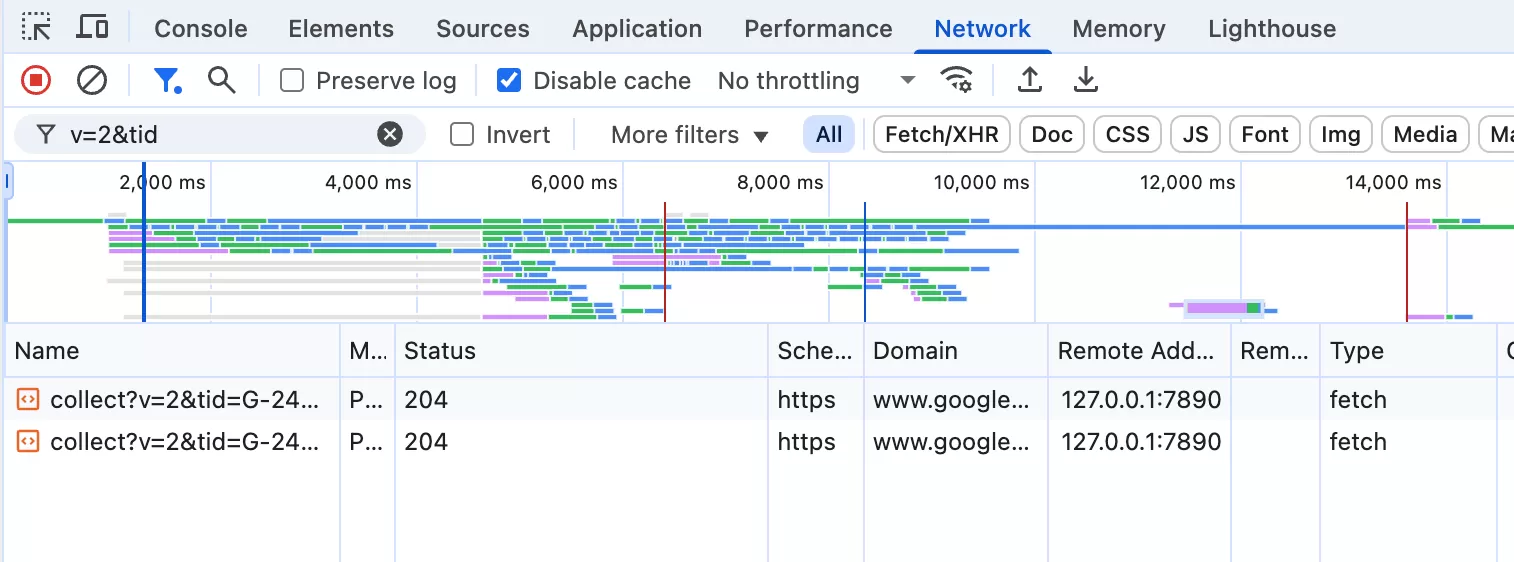
But when you check your GA4 reports… nothing. Zero data.
If that sounds familiar, don’t panic. Your tracking isn’t broken, and your tag isn’t misconfigured. The problem is likely your CMP (Consent Management Platform) settings.
Why
Here’s the confusing part: GA4 still sends requests even when consent is denied. The request goes out, you can see it in the Network tab, and it looks completely normal. But GA4’s servers will not process that data if consent hasn’t been given.
That’s why you can see the requests in dev tools but find nothing in your reports. The data arrived at GA4, but it was thrown away.
The issue is caused by Consent Management Platform (CMP) configuration.
If the CMP is installed and consent is not granted by default, the user’s data will not be tracked. As a result, GA4 will not receive any data.
How to Confirm: Check the gcs Parameter
Open any GA4 collect request in your Network tab and look for the gcs parameter. That’s your key to understanding the consent status.
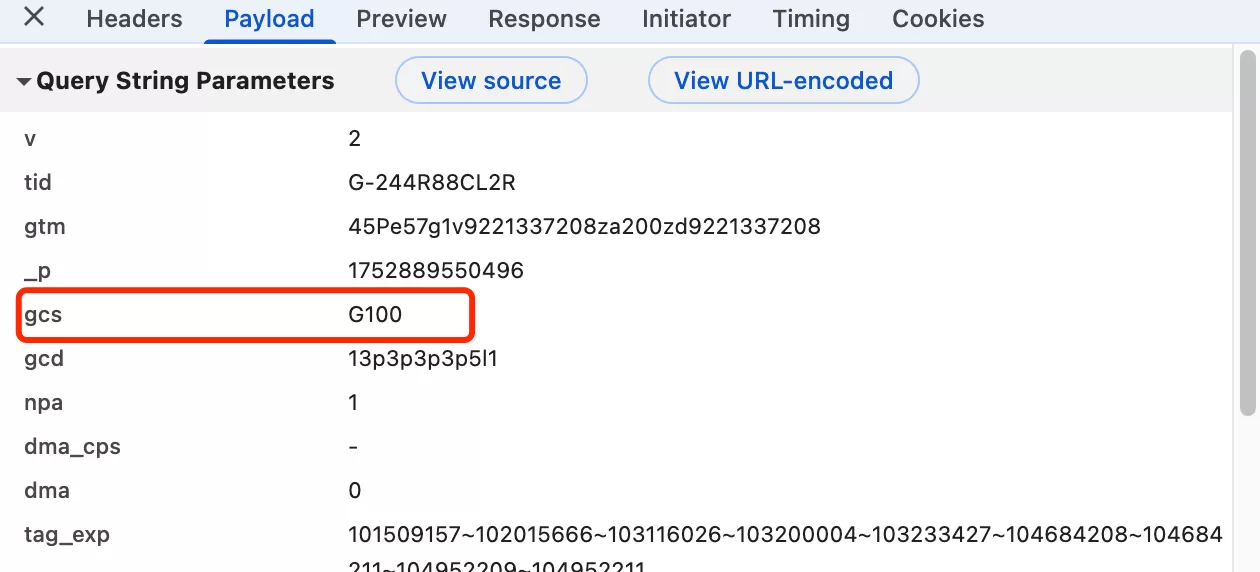
Here’s what each value means:
| Value | Description |
|---|---|
G100 |
No consent has been granted. |
G110 |
Google Ads has consent, Google Analytics does not. |
G101 |
Google Analytics has consent, Google Ads does not. |
G111 |
Both Google Ads and Google Analytics have consent. |
If you see G100 or G110, that’s your answer. The request was sent, but GA4 is instructed not to process it because consent for analytics is missing.
What to Do About It
There are two ways to handle this, depending on your situation:
- Option 1: Ignore it (recommended in most cases). If your CMP is working correctly and users are genuinely declining tracking, this behavior is correct — you should not track users who haven’t consented. The requests you see in dev tools are just the browser sending data that GA4 will discard on its end.
- Option 2: Adjust your CMP to stop sending requests when consent is denied. Some CMPs allow you to block the tag entirely (not just discard the data) when consent isn’t given. This makes for a cleaner Network tab but doesn’t change anything in GA4 — data won’t appear either way.
Personally, I usually go with Option 1. The behavior is correct, and there’s no benefit in production to changing it. During debugging, just knowing that G100 or G110 explains the gap is usually enough.
Final Words
Seeing requests fire but no data in GA4 is one of those things that looks alarming until you know what’s happening. Once you understand the gcs parameter, it’s actually a clean and predictable system — you just need to know where to look.