Update time: May 30, 2026
If you’ve tried adding a new user to GA4 and got hit with the error “This user did not satisfy this organization’s user policy,”
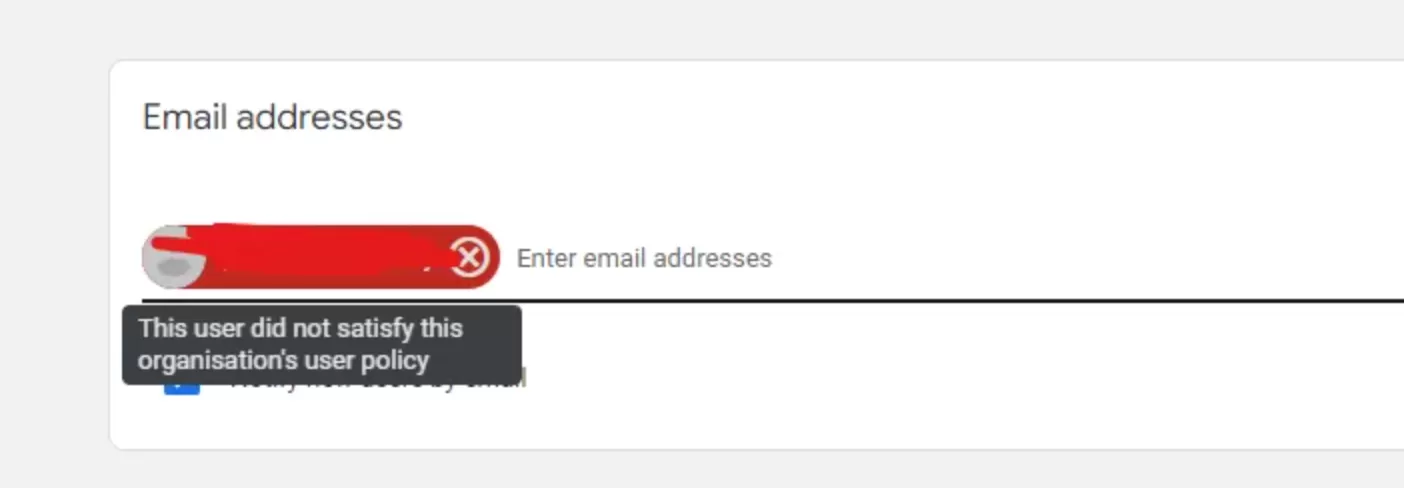 You probably stared at it for a minute wondering what you did wrong. Don’t worry — your GA4 property isn’t broken, and you’re not doing anything wrong. This is a policy restriction at the organization level.
Let me walk you through what causes it and how to fix it.
What Causes This Error
Your organization has restricted GA4 access to specific email domains through Google Marketing Platform organization policies. If those policies are set up, you can only add users whose email addresses belong to approved domains.
For example, your company’s policy only allows yourcompany.com addresses. If you try to invite someone with a gmail.com or partner-company.com email, Google blocks it automatically. This error is the result.
The fix: Update your Organization’s User Policy
You need to add the domain to your organization’s allowed list. Here’s how:
Step 1: Go to the Google Marketing Platform home page.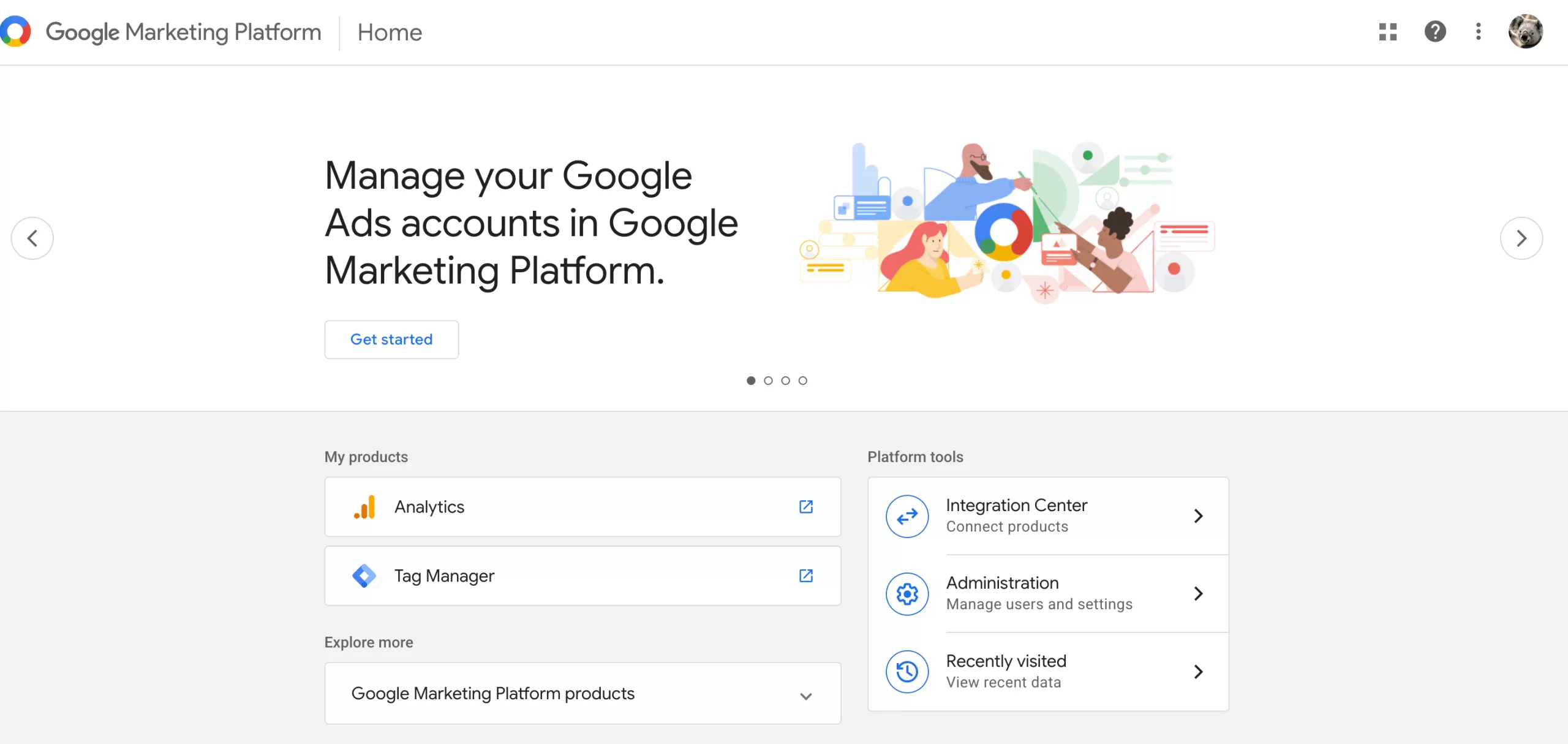
Step 2: Click「Administration」——「User policy」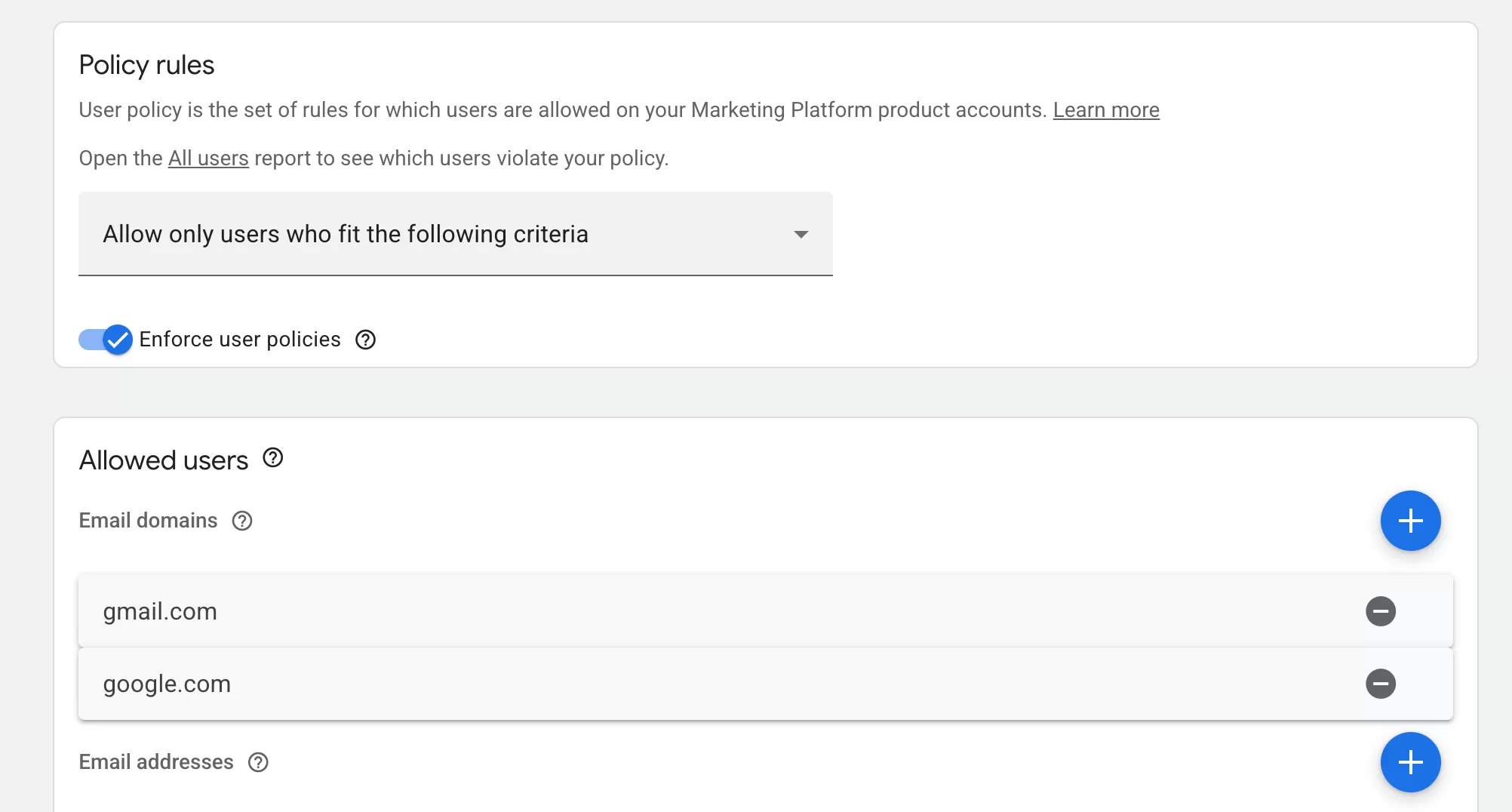
Step 3: Add the email domain you want to allow.
That’s it. Once the domain is added, you can go back to GA4 and invite that user again without the error.
Final Words
Hopefully, this saved you a bit of frustration. It’s a quick fix once you know where to look, but the error message gives you almost no clues about where the problem actually lives. If you ran into other variations of this issue or found a different workaround, feel free to share in the comments.