Updated: May 27, 2026
If you’ve recently opened GA4 and looked at your Engagement Rate or Bounce Rate, you might have noticed the definitions don’t work like they used to in Universal Analytics. That’s because GA4 rethought the entire concept. Gone is the old UA-style bounce rate that counted any single-page session as a bounce. GA4’s approach is more nuanced.
What is Engagement Rate in GA4?
Engagement Rate is the percentage of sessions that qualify as “engaged sessions.” That’s the primary metric GA4 pushes, and here’s the formula:
Engagement Rate = Engaged Session/Sessions
A session counts as engaged if it meets at least one of these three conditions:
- Lasts longer than 10 seconds
- Triggers a key event
- Has at least 2 pageviews or screenviews
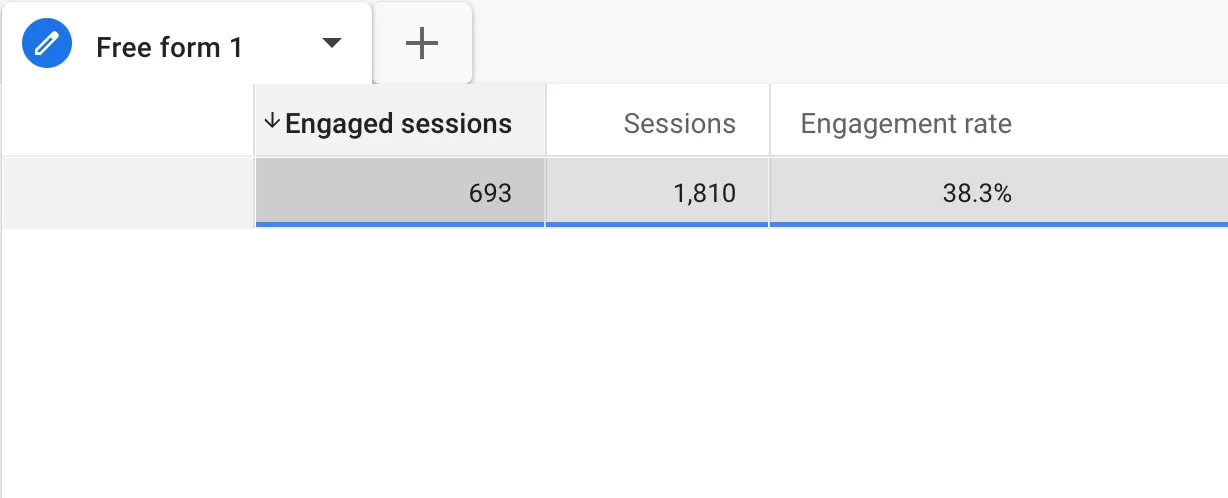
Let’s say your website recorded 1,810 sessions last week, and 693 of them were engaged. Your Engagement Rate would be roughly 38.3%. That means about 38% of your visitors stuck around or interacted meaningfully.
What is Bounce Rate in GA4?
Bounce Rate is simply the inverse. It measures the percentage of sessions that were not engaged. A session bounces when:
- It lasts less than 10 seconds
- No key events are triggered
- Only one page or screen is viewed
The formula is:
Bounce Rate = 1- Engagement Rate
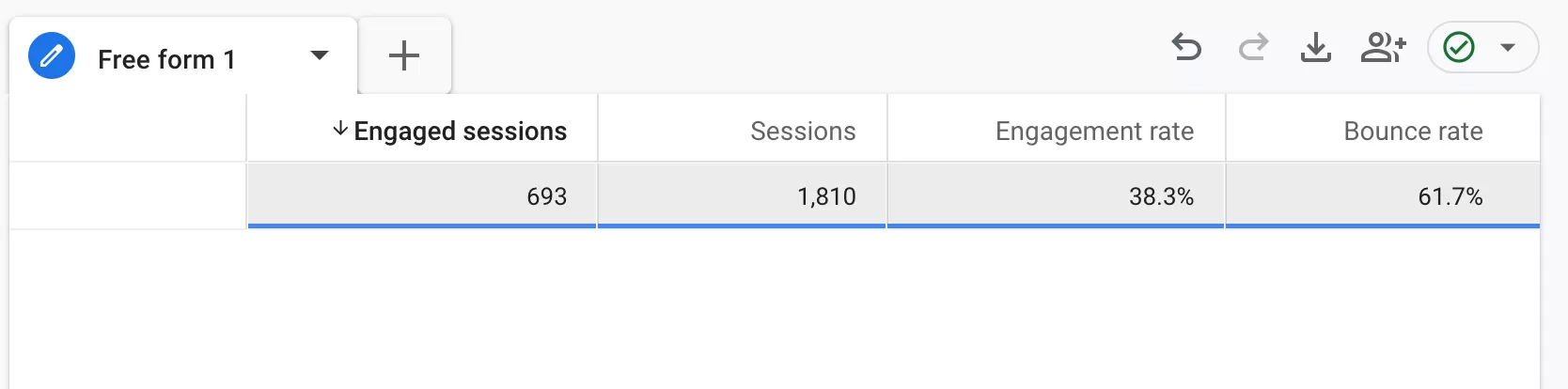
Using the same numbers: if Engagement Rate is 38.3%, your Bounce Rate is 61.7%.
Key differences between Engagement Rate and Bounce Rate
In GA4, Engagement Rate is the primary metric, while Bounce Rate serves as its complementary metric.
- High Engagement Rate generally indicates that users are interacting actively with your content.
- High Bounce Rate may suggest that users leave quickly without meaningful interaction.
However, Bounce Rate should always be interpreted in context. For example, a user may quickly find the exact information they need on a single-page article and leave satisfied, which can still count as a bounce in GA4.
Final Words
I hope this cleared up how GA4 defines these two metrics and why they’re different from what you might be used to. The shift from UA’s bounce rate to GA4’s engagement-first approach takes some getting used to, but once you understand the rules, the numbers start making a lot more sense.