Update time: January 15, 2025
If you manage several Google tags in Google Tag Manager, you may repeatedly configure the same settings—for example, cookie settings, cross-domain tracking parameters, server-side tagging URLs, or whether Google Signals is allowed.
This approach works, but it creates unnecessary duplication. It also makes future maintenance more difficult because you must update the same parameter in multiple tags.
The Google Tag: Configuration Settings variable solves this problem. It allows you to define shared Google tag settings once and reuse them across multiple Google tags.
What Is a Configuration Settings Variable?
The Google Tag: Configuration Settings variable is a reusable GTM variable that stores configuration parameters for Google tags.
Instead of manually adding the same parameters to every Google tag, you can place those parameters inside one Configuration Settings variable and then reference that variable from multiple tags, reusable settings variables help maintain consistent parameters across multiple Google tags.
Why Use a Configuration Settings Variable?
You do not need this variable for every GTM container. It becomes useful when multiple Google tags share the same configuration.It is especially useful when you need to standardize settings such as:
- Less Repetitive Configuration:You configure a shared parameter once instead of adding it manually to every Google tag.
- More Consistent Tracking:All Google tags referencing the variable use the same configuration. This reduces the risk of accidentally using different settings across tags.
- Easier Maintenance:If a shared setting changes, you update the Configuration Settings variable instead of editing every tag individually.For example, you can update the server-side tagging URL in one location and apply the change to every connected Google tag.
How to Create a Configuration Settings Variable
In GTM , click「Variables」——「New」——「Choose a variable type to begin set-up …」——「Google Tag: Configuration Settings」,Name it “Configuration Settings”:
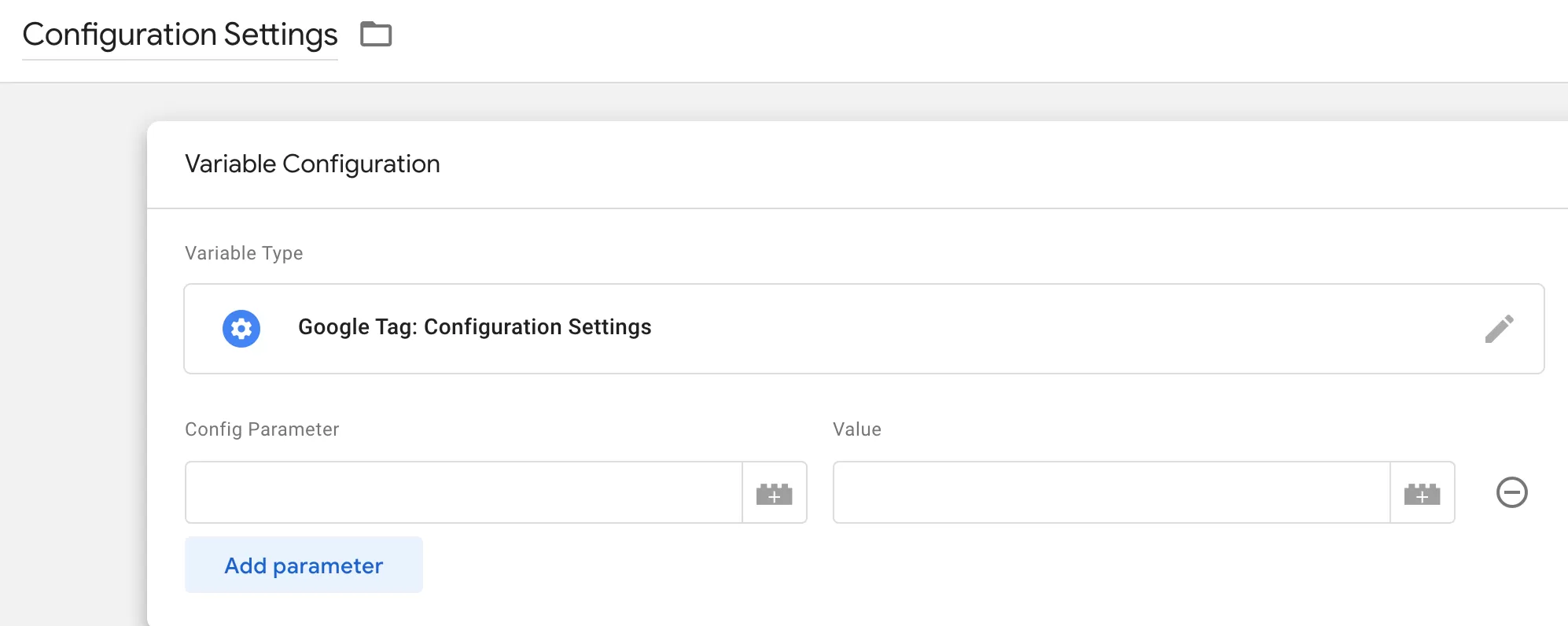
The following are some commonly used Google tag configuration parameters:
You usually do not need to configure most of these parameters. Only add a parameter when your implementation has a clear requirement for it.
Also keep in mind that the supported parameters and their behavior can depend on the Google product connected to the tag. Consult the relevant Google tag parameter documentation before using an unfamiliar parameter.
Three Ways to Configure a Google Tag
You can configure a Google tag in three different ways.
Option 1: Use Only the Configuration Settings Variable
Place all required parameters inside the Configuration Settings variable and do not add parameters directly to the Google tag.
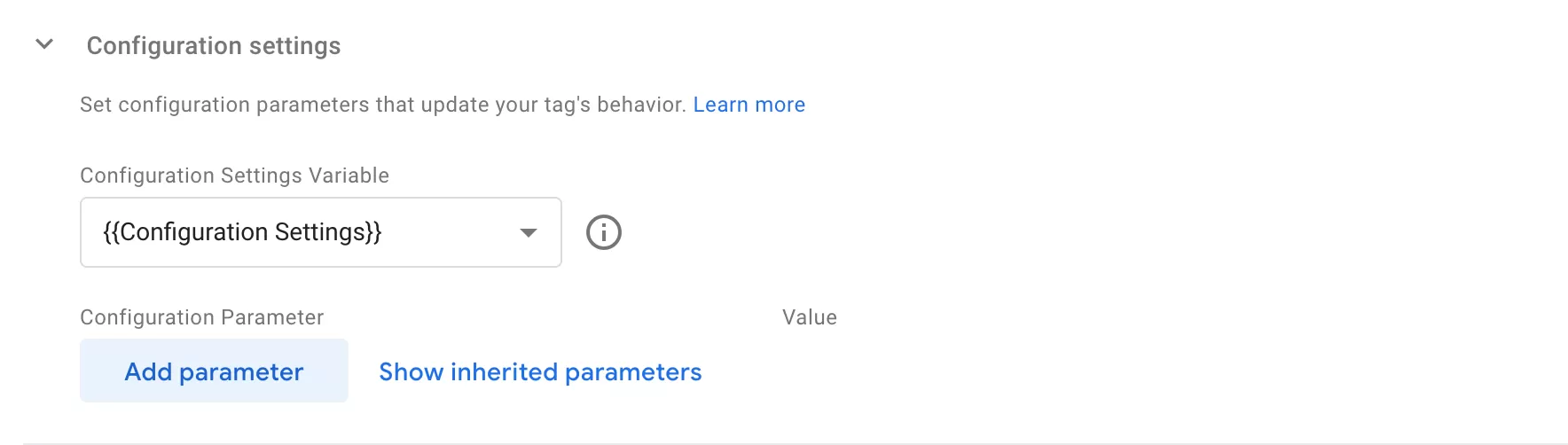
This approach is suitable when several Google tags should use exactly the same configuration.
Option 2: Configure Parameters Directly in the Google Tag
Do not select a Configuration Settings variable. Add all required parameters directly to the Google tag.
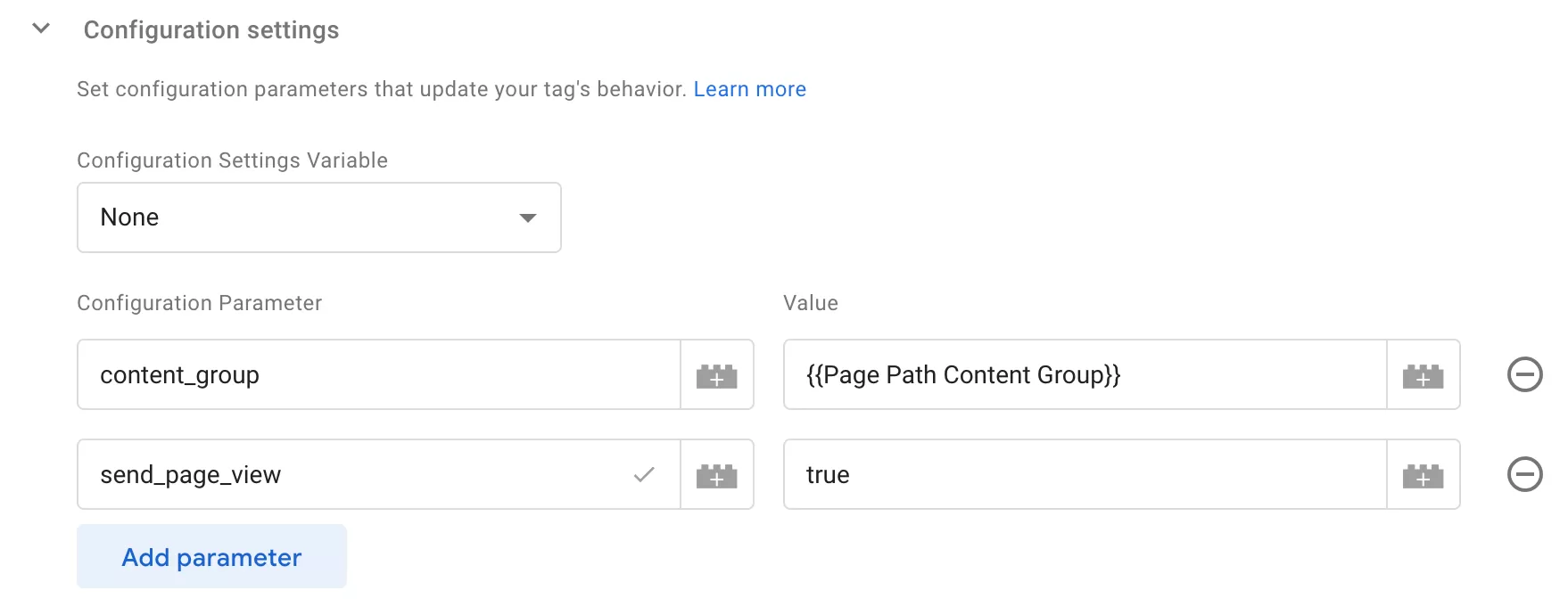
This approach is suitable when the configuration applies to only one tag and is unlikely to be reused.
Option 3: Combine Shared and Tag-Specific Settings
Use a Configuration Settings variable for shared parameters and add tag-specific parameters directly to the Google tag.
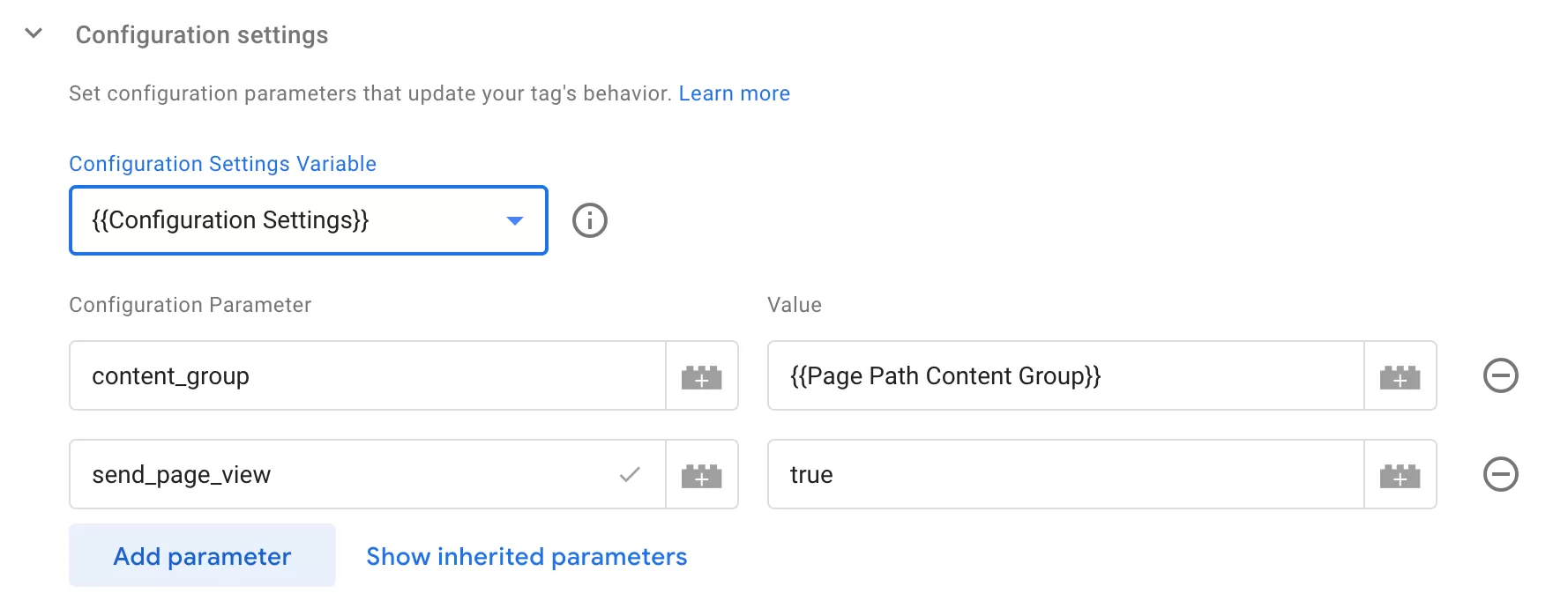
This is often the most practical approach. Shared settings remain centralized, while individual tags can still have their own configuration.
The parameter configured directly in the tag overrides the value inherited from the variable.
Therefore, avoid defining the same parameter in both locations unless you intentionally want a particular Google tag to override the shared setting.
Final Thoughts
The Google Tag: Configuration Settings variable is most useful when the same configuration must be applied to multiple Google tags.
If a parameter is used by only one tag, adding it directly to that tag is usually simpler. If several tags share parameters such as server_container_url, cookie_domain, or allow_google_signals, placing them in a Configuration Settings variable can make the container easier to maintain.