Updated: December 19, 2025
If you’ve ever opened GA4 and found yourself staring at an interface in a language you don’t fully understand — or if you’re working with a client whose GA4 property is set to Japanese and you need to switch back to English — you might have wondered: is there a quick way to change the language without digging through settings?
The good news is there are two ways to do it. One is slow (and requires a logout). The other takes about two seconds.
In this blog post, I’ll show you both methods — and which one I recommend.
Method 1: Edit User Preferences
This is the official way to change the language. It works, but it’s not the fastest option.
In GA4, click 「Admin」——「My preferences」, from there, you can change the Language setting: 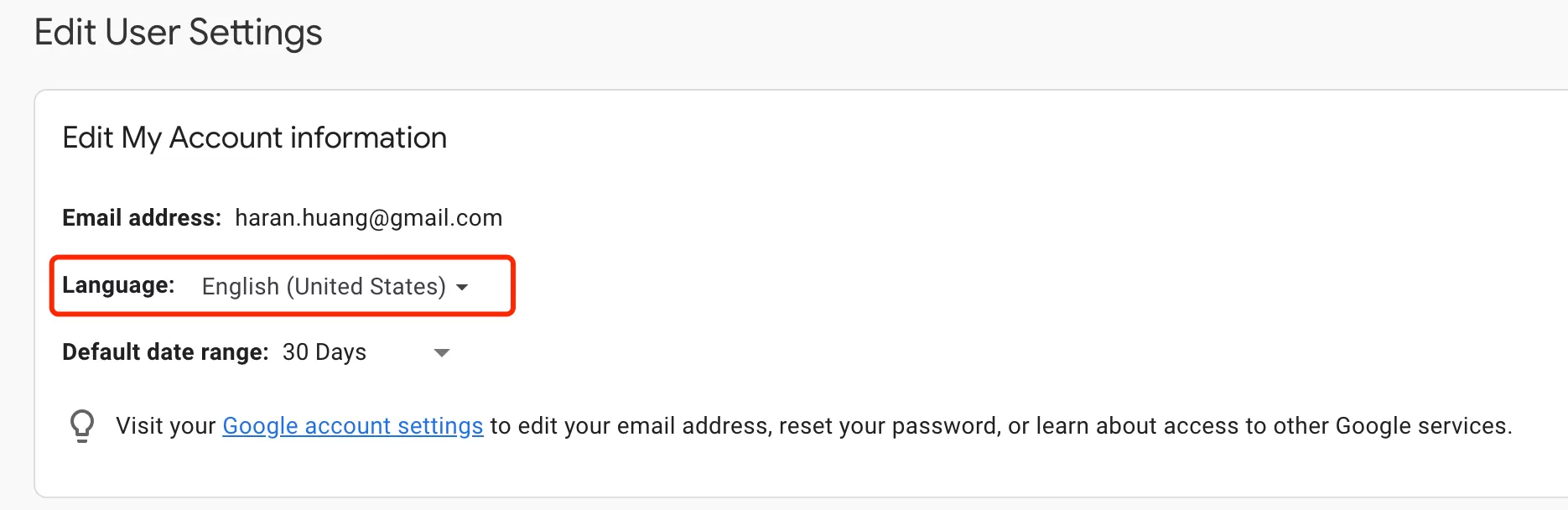
Here’s the catch: after updating the language, you must sign out of GA4 and sign back in for the change to take effect. That’s the main downside — you can’t just refresh the page and see the change immediately.
Method 2: Modify the URL Directly (Recommended)
This is the method I use myself. It’s faster, doesn’t require logging out, and the change takes effect immediately.
GA4 URLs include a parameter called `hl` (short for Host Language). Take a look at a typical GA4 report URL:
https://analytics.google.com/analytics/web/?hl=en#/p2499457200/reports/intelligenthome?params=_u..nav%3Dmaui
The `hl=en` part tells GA4 to display the interface in English. To switch to a different language, simply change the `hl` value.
For example, to switch to Japanese:
https://analytics.google.com/analytics/web/?hl=ja#/p2499457200/reports/intelligenthome?params=_u..nav%3Dmaui
That’s it. The interface will immediately display in Japanese — no logout, no refresh needed.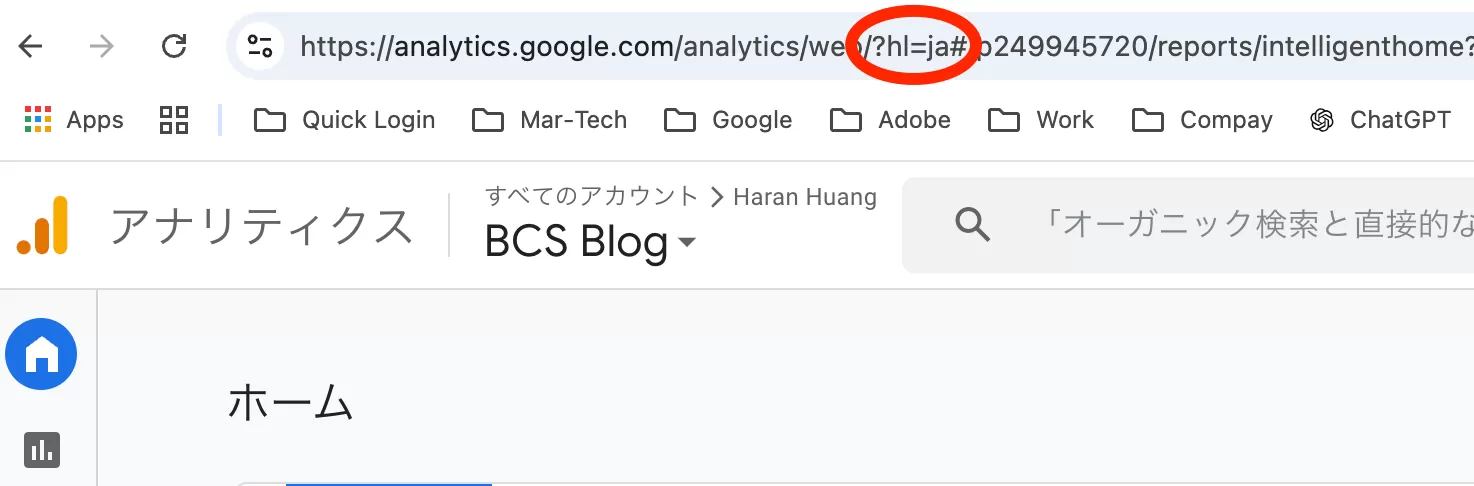
hl Values for Common Languages
Here’s a quick reference table for the most common languages:
|
Country
|
Language
|
hl
|
|---|---|---|
|
United States
|
English
|
hl=en
|
|
China
|
Chinese (Simplified)
|
hl=zh-CN
|
|
United Kingdom
|
English
|
hl=en
|
|
Japan
|
Japanese
|
hl=ja
|
|
Germany
|
German
|
hl=de
|
|
France
|
French
|
hl=fr
|
|
India
|
Hindi*
|
hl=hi
|
|
Brazil
|
Portuguese (Brazil)
|
hl=pt-BR
|
|
Russia
|
Russian
|
hl=ru
|
|
Spain
|
Spanish
|
hl=es
|
|
Italy
|
Italian
|
hl=it
|
|
Canada
|
English**
|
hl=en
|
|
Canada
|
French**
|
hl=fr
|
|
Australia
|
English
|
hl=en
|
|
South Korea
|
Korean
|
hl=ko
|
|
Mexico
|
Spanish
|
hl=es
|
Final Words
Changing the GA4 interface language is a small thing, but when you need it, you need it quickly. The URL method (`hl` parameter) is my go-to — it’s instant, doesn’t require a logout, and works every time.
If you work with clients or teams in different regions, bookmark this page or save the hl table above. It’ll save you a few clicks (and a logout) the next time you need to switch.
I hope this guide helped you. If you know of other useful GA4 URL tricks, feel free to share them in the comments.