If you’ve been trying to find on-site search data in GA4 and feeling like you’re going in circles, you’re not alone. I looked at what people are actually searching for, and it’s clear: “where to find on site search data in ga4,” “site search google analytics 4,” “view_search_results ga4” — these are real questions from real people who just want to see what their visitors are typing into the search box.
So let me save you the trouble. Here’s exactly where to find GA4 site search data, how to view it in reports, and how to make it actually useful.
Let’s get into it.
How GA4 handles site search
When someone performs a search on your site, GA4 fires a default event called view_search_results, and the actual keyword the visitor typed ends up in a parameter called search_term.
That’s the raw data. Now, where do you actually see it?
Report
If you go to the standard GA4 event report, you’ll find the view_search_results event listed.
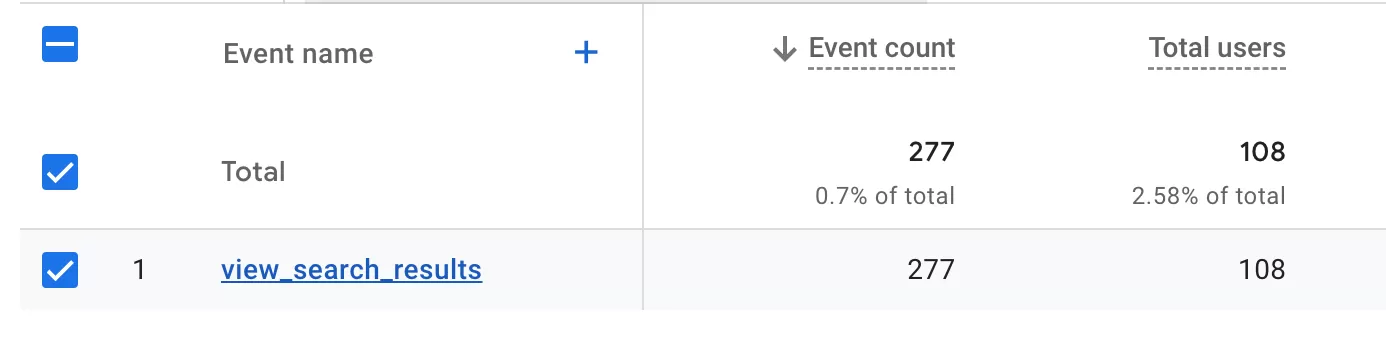
But here’s the catch: you can only see how many times users searched. Not what they searched for.
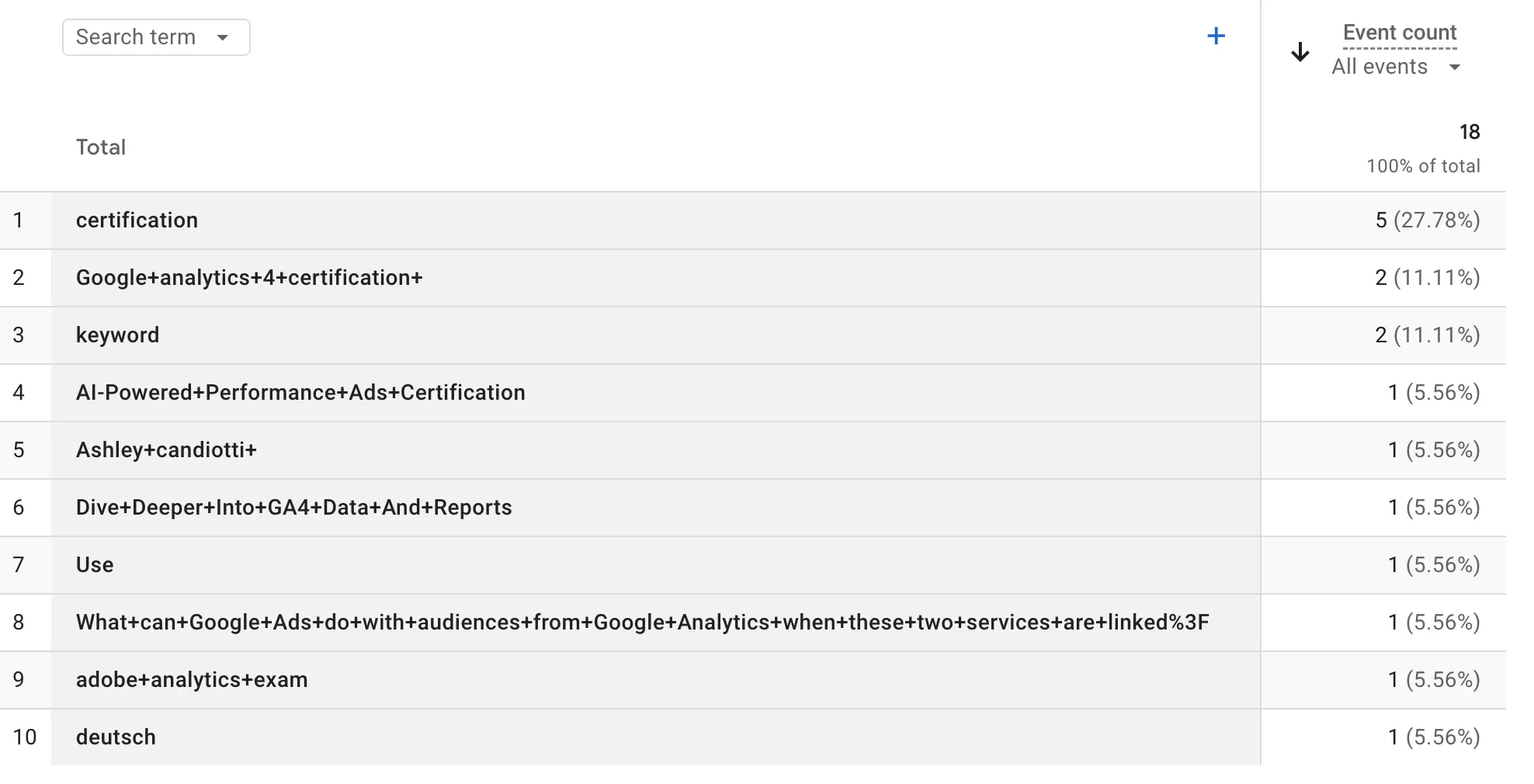
If you want to see the actual keywords, you need to create a detail report. Here’s how:
Go to「Create a detail reports」In「Library」,then configure it like this:
- Dimensions: Search term
- Metrics: Event count
- Report Filter: Event name Contains view_search_results
Now you can see how many times each search term was used. Simple enough.
Explore
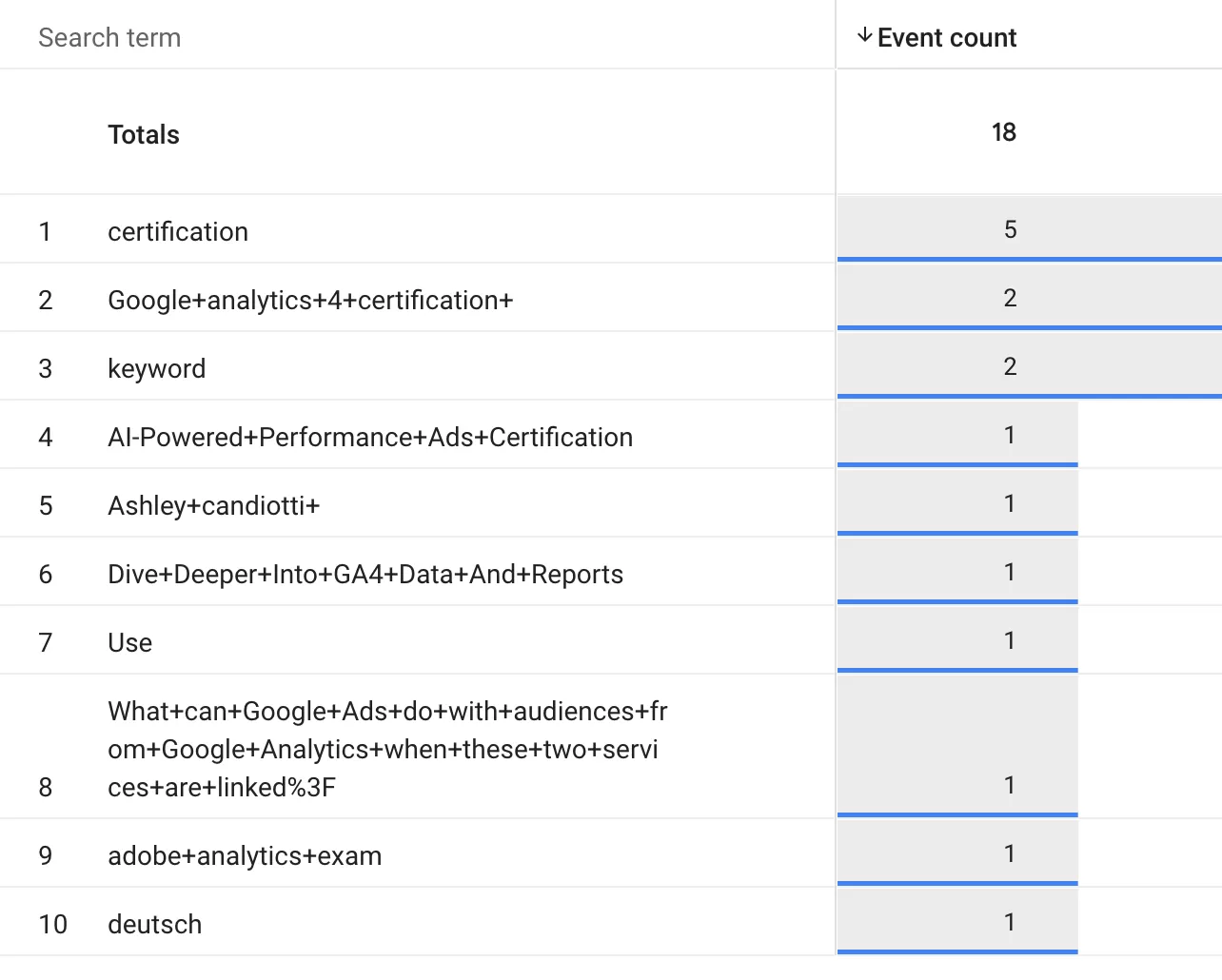
You can also use 「Explore」 —— 「Freeform」 with the same configuration:
- Dimensions: Search term
- Metrics: Event count
- Filters: Event name Contains view_search_results
Boom — you get the count of events for each search term right there in the canvas.
Looker Studio
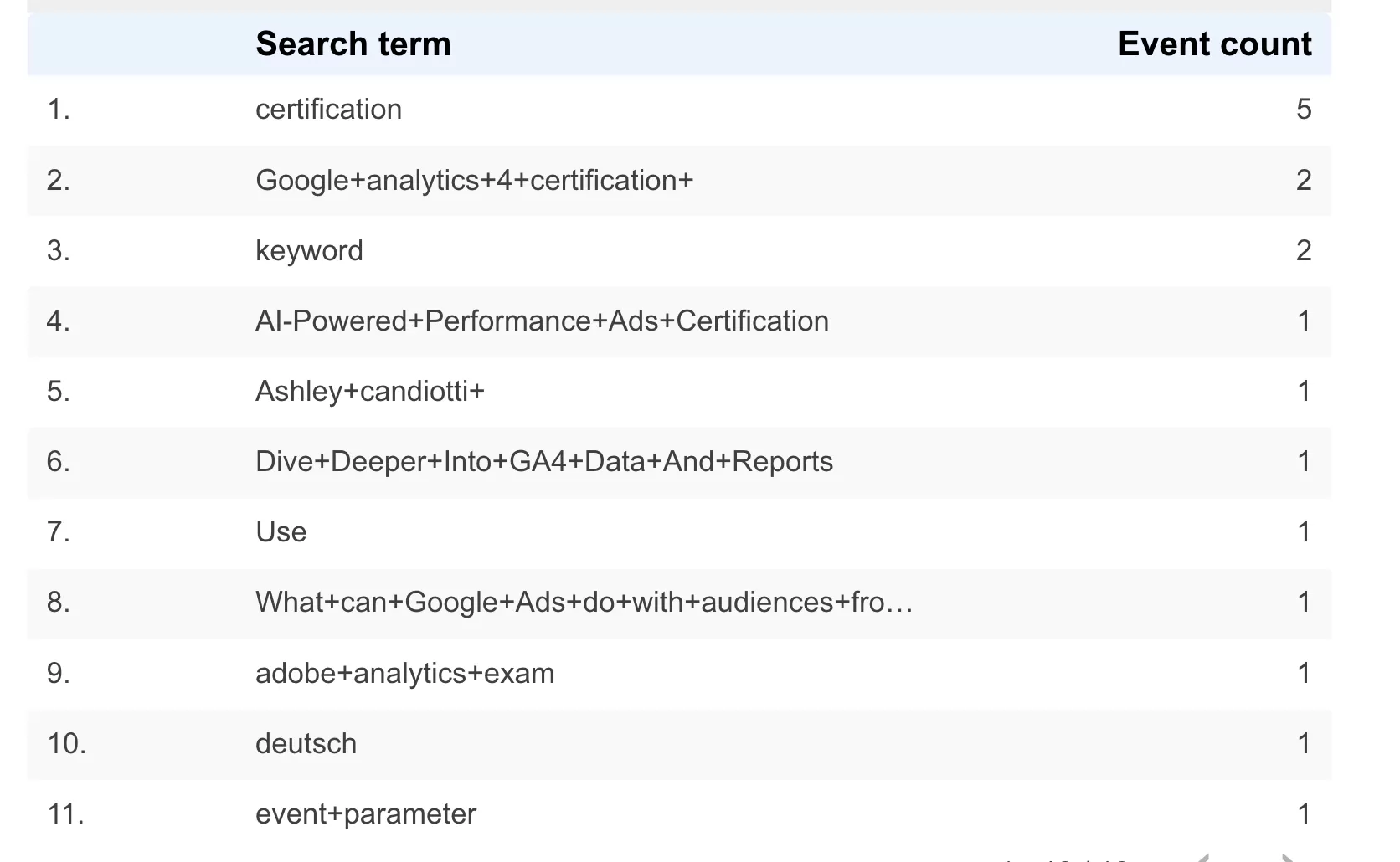
If you prefer dashboards, hook up the same data in Looker Studio:
- Row: search_term
- Value: Event count
- Filters: Event name Contains view_search_results
That’s it. You’ll see exactly what people are searching for on your site.
Final Words
I’ve seen a lot of people type “view_search_results ga4 login” into Google, trying to find this data and hitting a wall. The setup is straightforward once you know where to look, but Google doesn’t make it obvious.
If you’ve found other useful ways to analyze site search data in GA4 — or if you’ve run into edge cases where search_term doesn’t show up the way you expected — I’d love to hear about it in the comments.