Update time:May 31, 2024
Many people want to learn Adobe Analytics, but there’s one major challenge: Adobe Analytics doesn’t offer a public free trial, unlike Google Analytics.
Because of this, students, job seekers, and digital analysts often wonder:
Is there a free Adobe Analytics demo account?
The answer is yes. While Adobe doesn’t provide instant self-service access, there are several legitimate ways to experience Adobe Analytics before purchasing a license.
This guide explains the available options.
Option 1. Use the Adobe Analysis Workspace Sandbox
The easiest way to explore Adobe Analytics is through Adobe’s Analysis Workspace Sandbox.
This online demo lets you experience the Analysis Workspace interface with sample data, allowing you to:
- Explore reports and dashboards
- Practice building visualizations
- Learn Workspace navigation
- Experience common Adobe Analytics workflows
Although you cannot upload your own data or modify report suites, it’s an excellent starting point for beginners.
Official application pages: https://business.adobe.com/resources/adobe-analytics-sandbox.html or https://adobe.ly/aademodata
Option 2. Apply for a 6-Month Adobe Analytics Trial
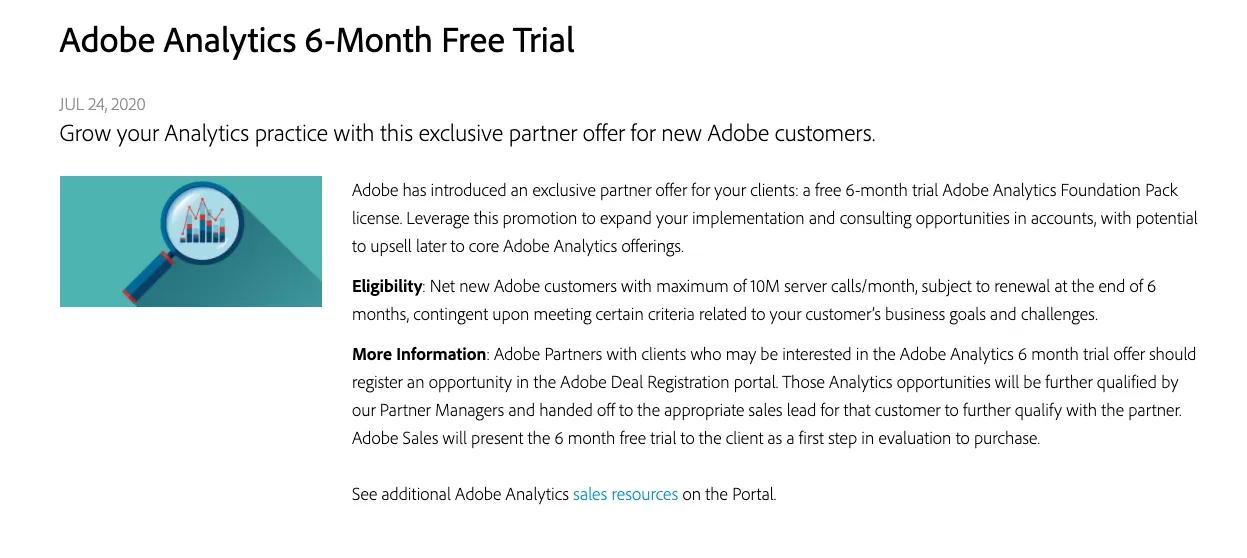
Adobe occasionally offers a 6-month Adobe Analytics trial for qualified prospective customers.
If approved, the trial typically includes:
- Full Adobe Analytics access
- Up to 10 million server calls per month
- A dedicated trial environment for evaluation
This server call allowance is comparable to the historical data volume many Google Analytics users worked with, making it sufficient for testing and learning.
Adobe does not offer a public application form for Adobe Analytics; instead, you typically need to contact an Adobe Analytics partner, who will evaluate your requirements and submit your information to Adobe for review, after which approved applicants receive a 6-month evaluation environment.
Option 3. Request Access Through an Adobe Partner
Adobe partners often have access to internal demonstration environments.
Depending on the partner, you may be able to use one of the following:
Sandbox
A Sandbox is primarily intended for:
- Internal partner training
- Product demonstrations
- Solution development
- Customer workshops
It provides a realistic Adobe Analytics environment for learning and demonstrations.
Experience Account
An Experience Account contains preconfigured sample data and is designed to demonstrate Adobe Analytics features.
Unlike a Sandbox, its data is fixed and cannot be customized, making it suitable for product exploration rather than implementation practice.
Access to either environment depends on the partner’s policies, so requests may be declined.
Which Option Is Best?
| Option | Best for | Cost |
|---|---|---|
| Analysis Workspace Sandbox | Learning the interface and reports | Free |
| 6-Month Trial | Evaluating Adobe Analytics with your own implementation | Free (approval required) |
| Adobe Partner Demo Account | Training and product demonstrations | Usually free (partner approval required) |
Related Resources
If you’re interested in other Adobe Experience Cloud products, you may also find these guides helpful:
- Free Adobe Customer Journey Analytics (CJA) Demo Account
- Free Adobe Experience Platform (AEP) Sandbox Application Guide
Conclusion
Although Adobe Analytics doesn’t provide a public self-service free trial, there are still several legitimate ways to gain hands-on experience.
For most beginners, the Analysis Workspace Sandbox is the fastest way to start learning. If your organization is evaluating Adobe Analytics for business use, working with an Adobe partner may also give you access to a 6-month evaluation environment or other demonstration accounts.