Updated on: December 11, 2025
Pageviews tell you which pages people visit. Custom events tell you what they do there.
For example, you can track comment-button clicks, PDF downloads, video plays, or CTA interactions. In Baidu Analytics (Baidu Tongji), these actions are sent with _trackEvent.
In this guide, you’ll learn three practical ways to set up Baidu Analytics event tracking.
How Baidu Analytics Event Tracking Works
Baidu Analytics uses this format:
_hmt.push(['_trackEvent', category, action, label, value]);
Each event contains four predefined fields:
| Field | Description | Example |
|---|---|---|
| category | Group | button |
| action | Action | click |
| label | Label content | “Buy Now Button” |
| value | Value, optional | 1 |
For a comment-button click, you might send:
_hmt.push(['_trackEvent', 'button', 'click', 'comment_button', 1]);Before continuing, make sure the Baidu Analytics base code (hm.js) is already loaded on the page.
Method 1: Add onclick Directly in HTML
This is the quickest option for one or two simple interactions.
<a href="#comments"
   onclick="_hmt.push(['_trackEvent', 'link', 'click', 'comment_button', 1])">
  Comment
</a>
When someone clicks this link, Baidu Analytics receives an event with:
- Category:
link - Action:
click - Label:
comment_button - Value:
1
This works well for a quick test. However, it mixes tracking logic with page markup, which becomes difficult to review and maintain when your tracking plan grows.
Use this method for small websites or a limited number of simple interactions.
Method 2: Use a JavaScript Event Listener
For custom-coded websites, a JavaScript event listener is usually cleaner.
document.querySelector('#comment-button').addEventListener('click', function () {
  _hmt.push(['_trackEvent', 'button', 'click', 'comment_button', 1]);
});
Replace #comment-button with the actual ID or selector of your element.
This keeps tracking logic in JavaScript instead of HTML, making it easier to update later. Just make sure the script runs after the button exists in the page.
Use this method when you can edit site code and need flexible tracking.
Method 3: Track Events with Google Tag Manager
If you already use GTM, this is usually the easiest way to manage events at scale.
First, make sure the Baidu Analytics base tag fires on every page before the event tag.
Step 1: Create a Click Trigger
Set triggers according to the click location:
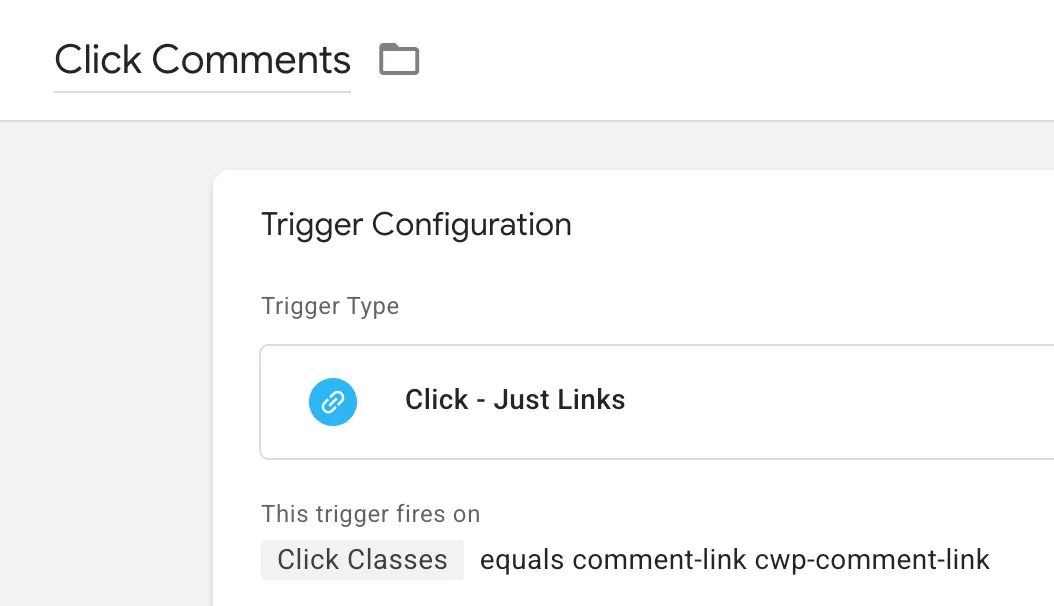
Step 2: Set Up the Tags
In GTM , click「Tags」——「New」——「Choose a tags type to begin setup…」——「Custom HTML」,Name it “Baidu Event-click_comments”, and make the following settings: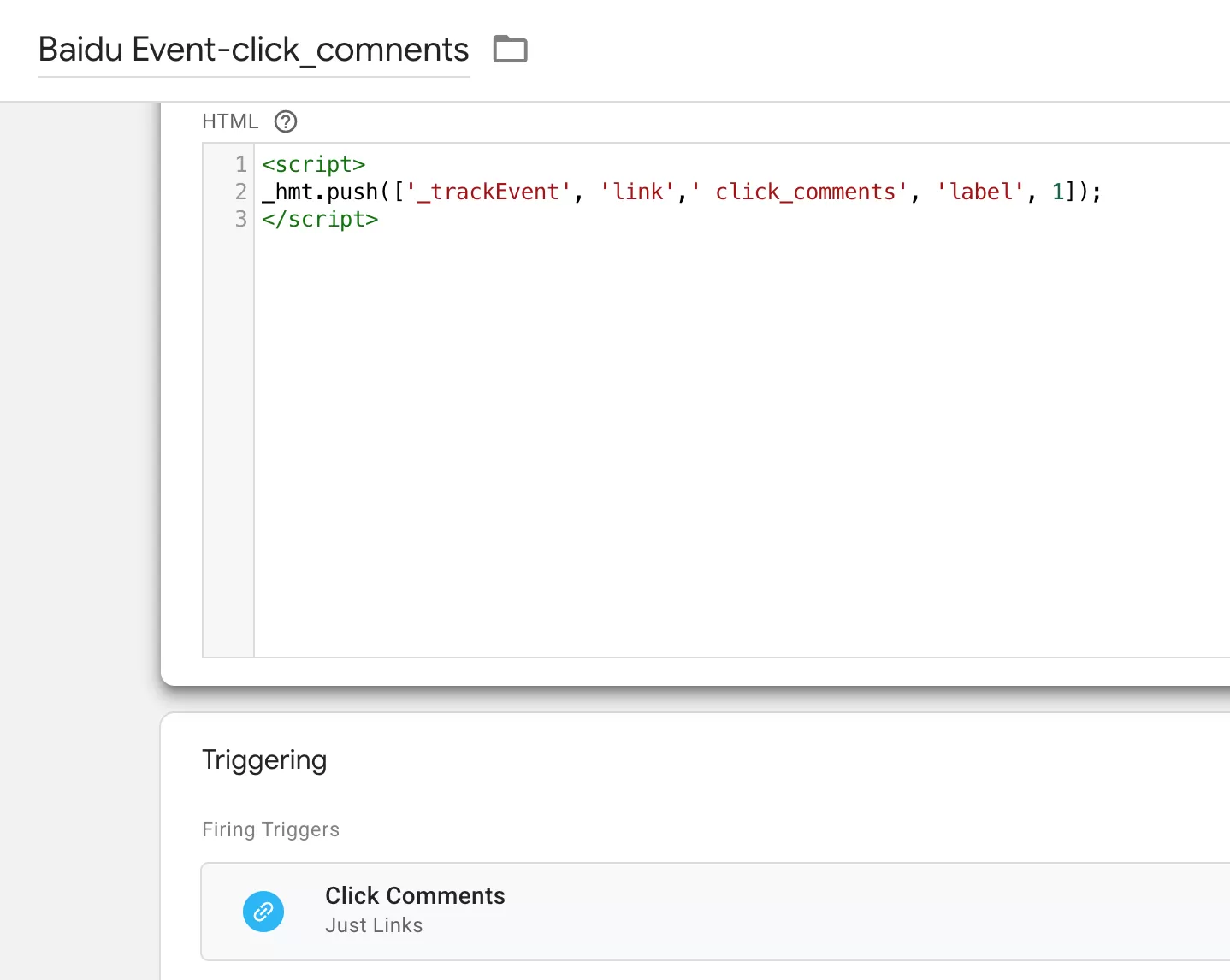
Step 3: Test Before Publishing
Open GTM Preview mode, click the target button, and confirm that the Custom HTML tag fires in Tag Assistant.
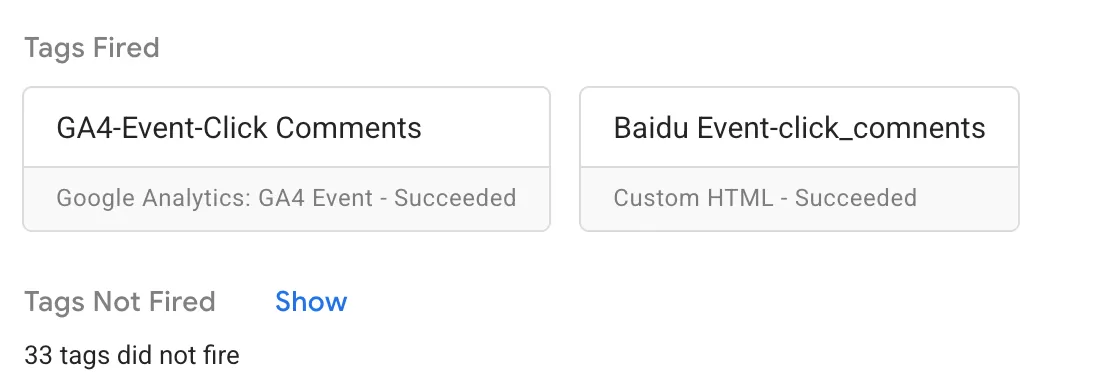
Then publish the container.
Which Method Should You Choose?
| Method | Best for | Main limitation |
|---|---|---|
Inline onclick |
One or two simple clicks | Harder to maintain |
| JavaScript listener | Custom-coded websites | Requires JavaScript access |
| GTM Custom HTML | Marketing or analytics teams | Requires GTM setup |
Final Words
Baidu Analytics event tracking is simple: choose a consistent naming structure, send _trackEvent when the interaction happens, and test it before publishing.
For a few simple clicks, inline code is enough. For a growing tracking plan, use JavaScript listeners or GTM so your implementation stays manageable.