Update time: April 13, 2026
Issue
In some cases, the Landing Page dimension in Google Analytics 4 may appear as (not set), for example:
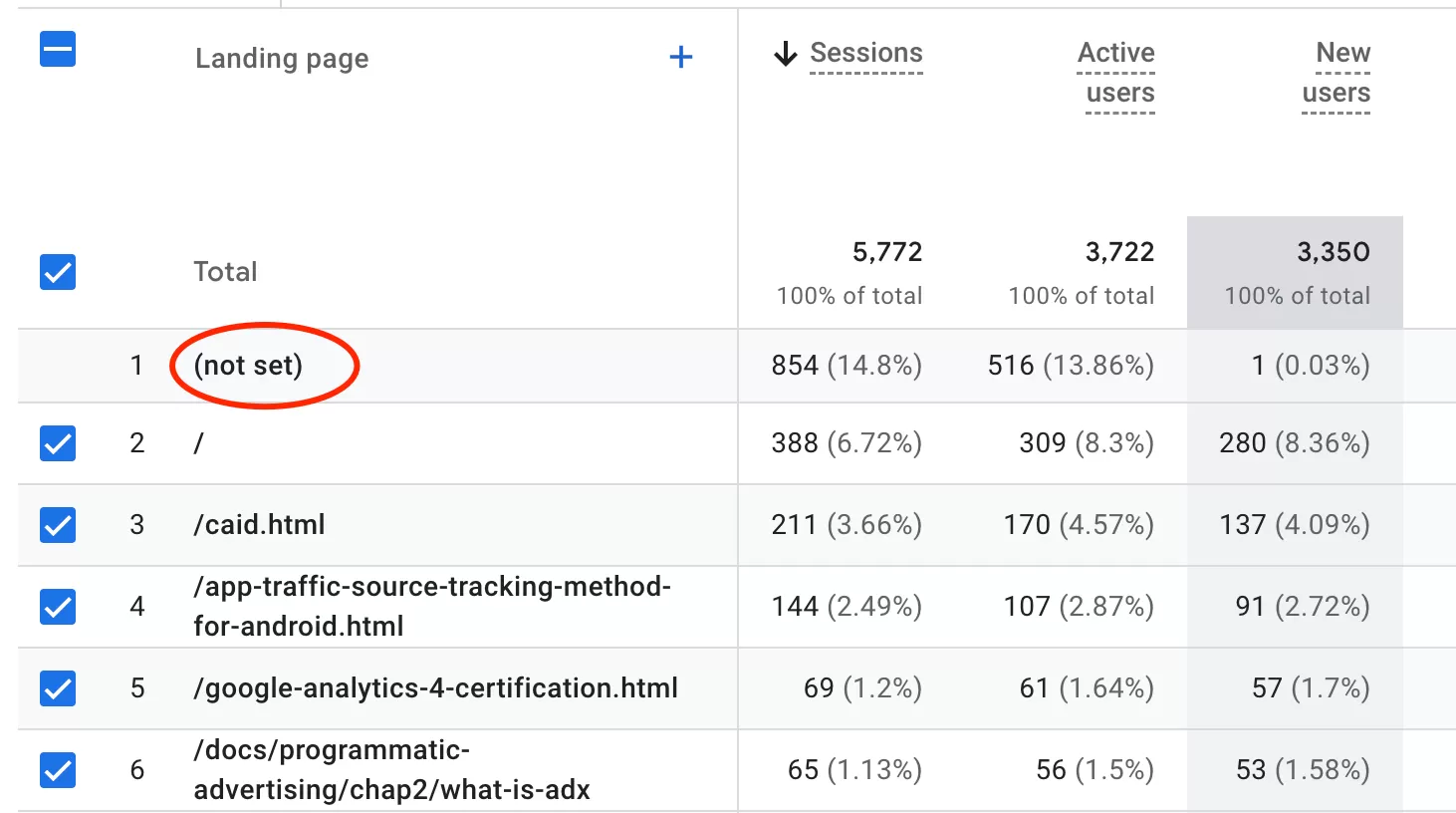
This indicates that GA4 was unable to determine the first page associated with the session.
Why This Happens
A common cause of this behavior is that no page_view event was recorded at the beginning of the session.
This usually occurs in scenarios such as:
- A user leaves the website and the original session expires
- The user later returns to the site
- Another event is triggered (such as
user_engagement,scroll, or a custom event) - However, no new
page_viewevent fires when the new session starts
Because GA4 relies on the page_view event to identify the session’s entry page, the absence of that event prevents GA4 from assigning a valid Landing Page value. As a result, the session is categorized as (not set).
How to Verify
You can validate this behavior in Explore (Explorations) within Google Analytics 4 using the following configuration::
- Dimension (Rows): Landing Page
- Secondary Dimension (Columns):: Event Name
- Metrics (Values): Active Users、New Users、Returning Users,Event
- Fileters: Landing Page contains not set
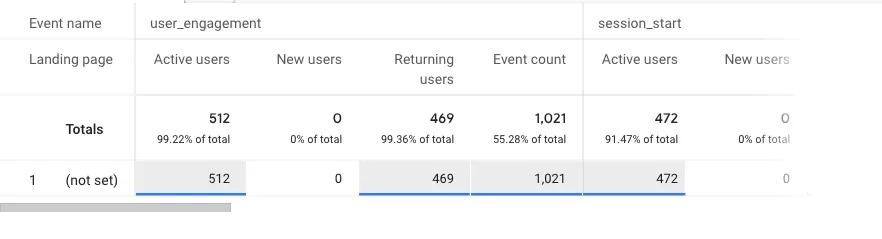
After building the report, you will typically notice: Sessions with (not set) Landing Pages contain engagement or custom event, but nopage_view event exists within those sessions
This confirms that GA4 did not receive a valid page load event at the start of the session, so it could not assign a landing page.
Solution
In most cases: This is not a tracking implementation issue, but a limitation caused by user behavior and session flow.
Therefore:
- There is no direct fix required
- The data should be interpreted as a natural edge case in session tracking