Updated: October 23, 2024
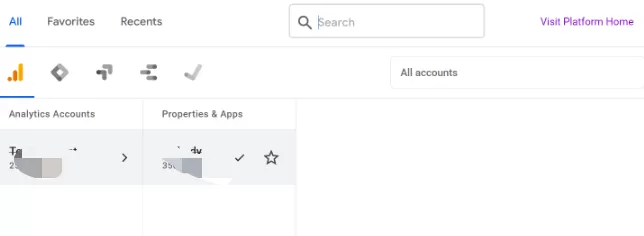
If you’ve been granted access to the GA4 Demo Account and then switched to another Google Analytics account, you might have noticed something — when you try to switch back, the Demo Account is nowhere to be found in the account picker.
Reason
Don’t worry, your access is still there. This isn’t a bug. The Demo Account is a shared property that Google provides for learning purposes, and it behaves differently from regular accounts in the account picker. It doesn’t stay pinned to the top of your account list like your own properties do.
Solution
Here’s the fix: just type demo account into the search box at the top of the account picker. It’ll appear right away.
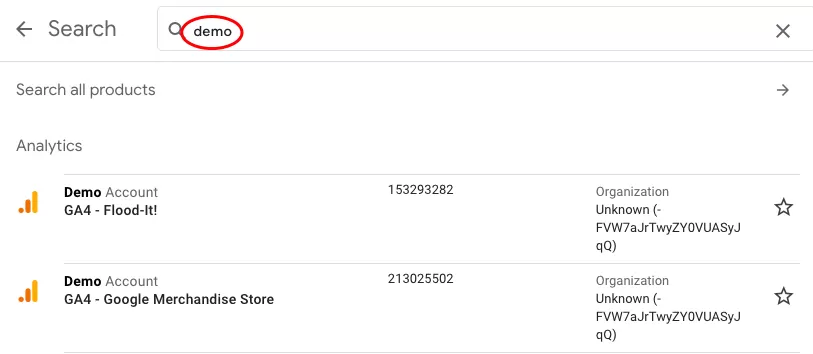
So if you ever find yourself wondering where the Demo Account went, now you know — it’s still there, you just have to look it up.