Updated: April 23, 2026
If you’ve set up internal site search in GA4 and opened the report expecting to see what your users are searching for — only to find that 90% or more of the Search Term values are blank — you’re not alone. It’s frustrating, and it makes your internal search data pretty much useless.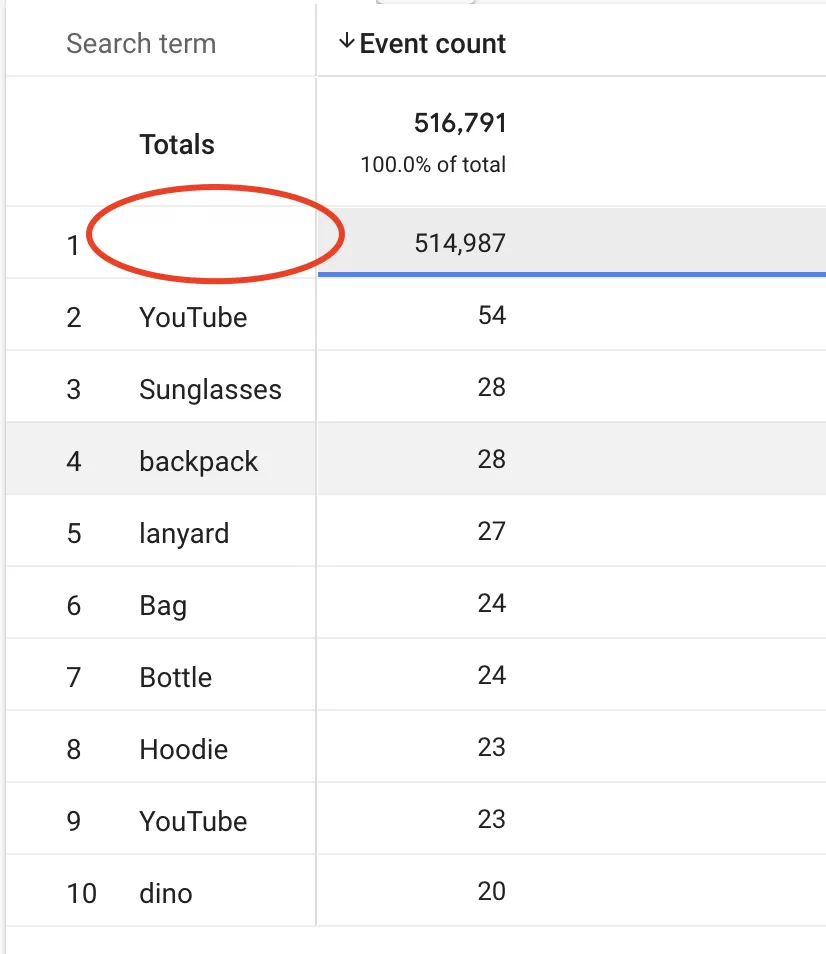
The good news? In most cases, your data isn’t lost. It’s just a report configuration issue. Let me show you what’s going on.
Why Are Search Terms Blank in GA4?
Here’s the thing — this is almost never a data loss problem. GA4 isn’t dropping your search_term parameter. It’s just showing you something you didn’t intend to see.
By default, GA4 displays all events in a report. When you add the search_term dimension, most events (page_view, session_start, scroll, etc.) simply don’t have a search term associated with them. So GA4 shows blank values for those rows.
If you have a lot of traffic, those blank rows quickly drown out the actual search data. It looks like your search terms are missing, but really, you’re just looking at the wrong events.
The Fix: Filter Your Report
The solution is straightforward: filter your report to only include the events that actually carry a search term.
In your GA4 report, add a filter, set it to Event name contains view_search_results:
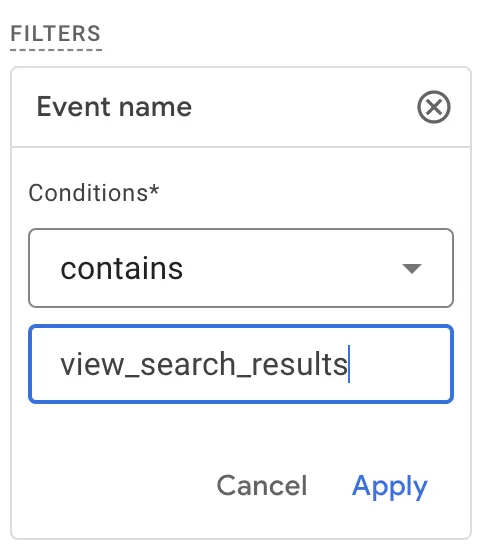
Apply the filter.
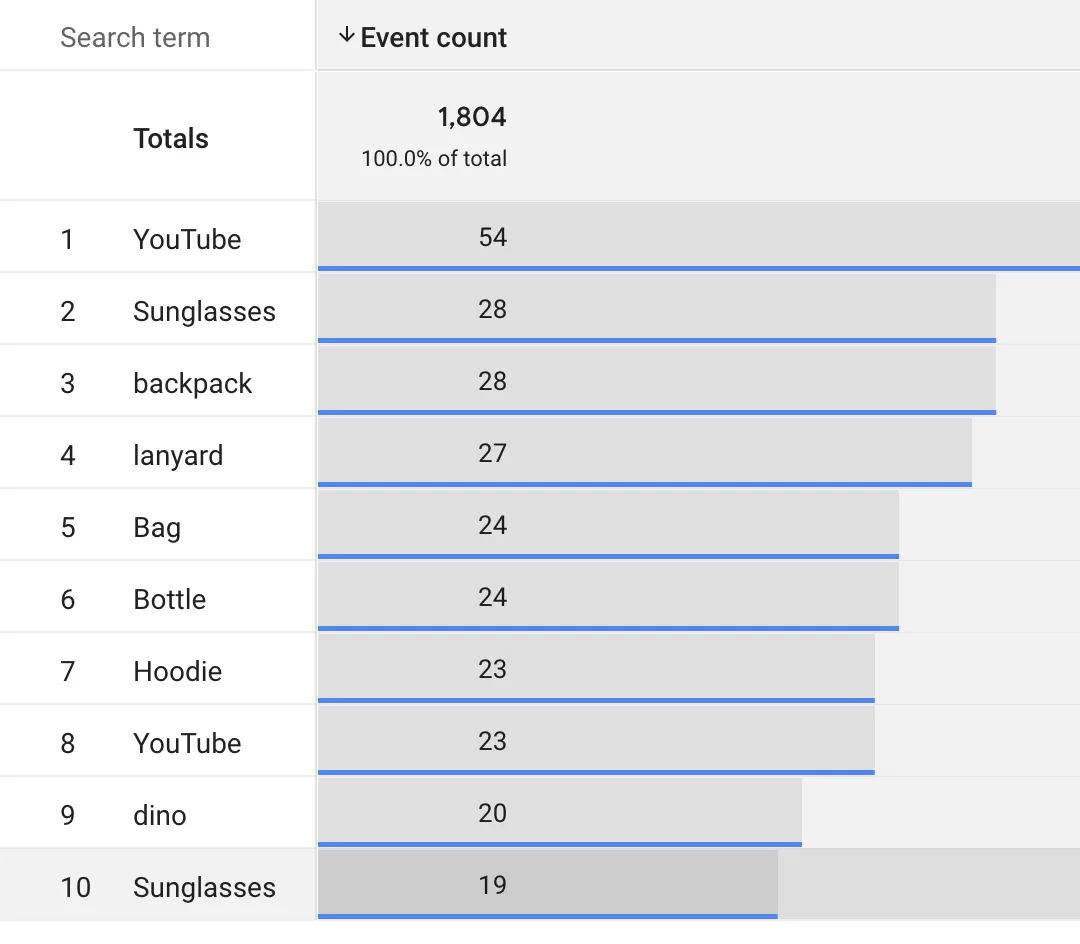
That’s it. Once you apply the filter, only events with search term data will show up, and the blank values disappear. You’ll finally see what your users are actually searching for.
Extra Tip: Save It for Later
If you plan to check search terms regularly (and you should — it’s one of the best sources of insight into what your users want), save the filtered report:
- In Explore, save it as an exploration you can come back to.
- In Reports, create a custom report so it lives alongside your standard reports.
Also, make sure your site or app is correctly sending the search_term parameter with the view_search_results event. Without that, no amount of filtering will help.
Final Words
Blank search terms in GA4 look alarming at first, but it’s a quick fix once you know what’s happening. Filter your report to the right event, and your data will be there — clean and ready to analyze.