If you’ve been digging through GA4’s standard reports looking for the full page URL, you might have noticed something strange. There’s Page path, there’s Page title, but the full URL — with the protocol, domain, and query parameters — is nowhere to be found.
Don’t worry, it’s actually there. It’s just hiding in a slightly different place than you’d expect.
If my guess was correct, you have come to the right place.
Why can’t I see the full URL in standard reports?
GA4’s standard reports use a dimension called Page path and screen class by default. It shows only the path portion of the URL — like /blog/post-title — and strips out the protocol, domain, and query parameters.
That works fine for basic reporting, but it falls short when you need to:
- Compare two links with different UTM parameters
- Troubleshoot a page that sends query strings
- Distinguish between
httpsandhttpversions of the same page
That’s where page_location comes in.
How to view full page URLs in GA4
It takes about 30 seconds once you know where to look.
Step 1: Open Explore
In GA4, click 「Explore」 – 「Free form」
Step 2: Set up the report
Configure the following:
- ROWS: Page location
- VALUES: Event count
- FILTERS: event_name contain page_view
A quick note on the filter: page_location is captured on many different event types. If you only want to see pageviews — which is usually the case — filtering by event_name containing page_view keeps your data clean and focused.
Step 3: See your full URLs
That’s it. The table will now show every page’s complete URL, from https:// to the last query parameter.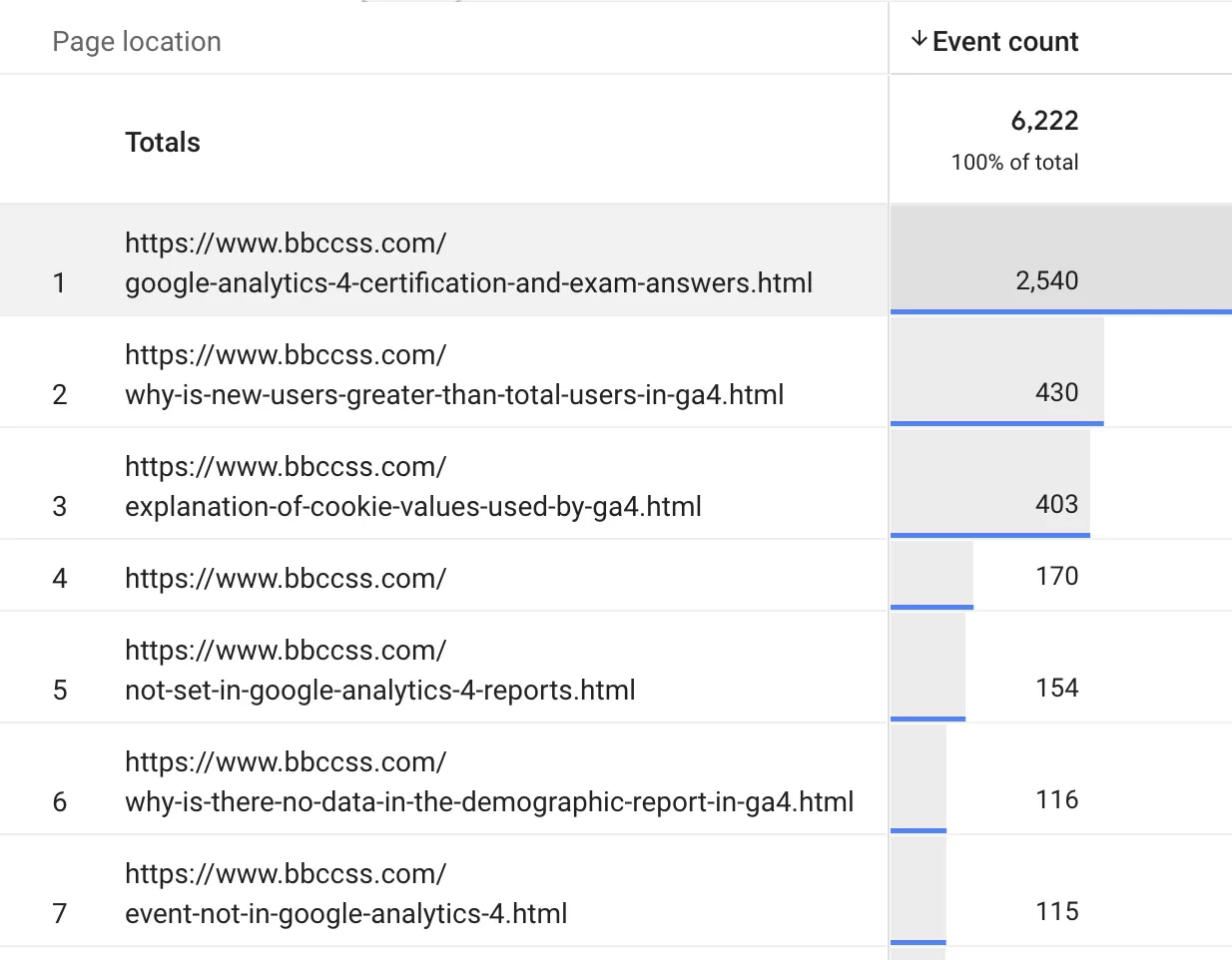
A small tip to save time
If you’re going to run this report more than once, save the exploration as a template. Click Save in the top right, give it a name like “Full Page URL Report”, and it’ll be waiting for you in the Explore home next time.
Final Words
GA4 hides some of its most useful dimensions in Explore, and page_location is a perfect example. Once you know it exists, the workflow is straightforward: open Free form, add the dimension, apply a filter, and you’re done.
Now I pass the torch on to you. I’d love to hear your feedback — have you run into any cases where page_location didn’t behave the way you expected? Or maybe you’ve found other hidden dimensions that deserve more attention? Drop a comment and share your experience.